Ir para o conteúdo principal
Participe da comunidade de reparos - Criar conta

Nintendo DSi XL Start/Select Buttons Replacement

Visualizações: 5,6 mil

Visualizar Estatísticas:

Últimas 24 horas:
3
Últimos 7 dias:
22
Últimos 30 dias:
110
Ao todo:
5.614
Comentários: 15

15 comments on steps.

Concluído: 3

3 pessoas marcaram este guia como "concluído". Será você o próximo?

Favorites: 7

7 pessoas favoritaram (e se inscreveram) neste guia. Você será o próximo?

Tempo necessário: Nenhuma estimativa
Dificuldade: Moderado
Nintendo DSi XL Start/Select Buttons Replacement

O que você precisa

Peças

Ferramentas

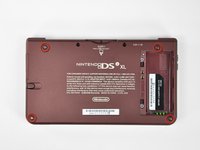
    1. Nintendo DSi XL Start/Select Buttons Replacement, Battery: passo 1, imagem 1 %32 Nintendo DSi XL Start/Select Buttons Replacement, Battery: passo 1, imagem 2 %32
      • Remove the two Phillips screws securing the battery cover to the back of the handheld console.

      • Lift the battery cover off the back of the DSi XL.

      Pergunte ao FixBot

      Comentar

    2. Nintendo DSi XL Start/Select Buttons Replacement: passo 2, imagem 1 %32
      • Lift the battery from the DSi XL.

      Pergunte ao FixBot

      Comentar

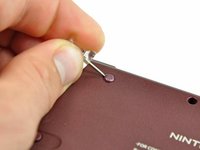
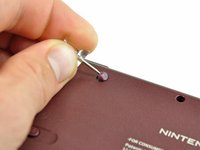
    1. Nintendo DSi XL Start/Select Buttons Replacement, Lower Case: passo 3, imagem 1 %32 Nintendo DSi XL Start/Select Buttons Replacement, Lower Case: passo 3, imagem 2 %32 Nintendo DSi XL Start/Select Buttons Replacement, Lower Case: passo 3, imagem 3 %32
      • Remove the four rubber screw covers on the lower case by prying them up with a push pin.

      Pergunte ao FixBot

      Comentar

    2. Nintendo DSi XL Start/Select Buttons Replacement: passo 4, imagem 1 %32
      • Remove the following seven Phillips screws that secure the lower case to the rest of the DSi XL:

      • Four silver 5.3 mm screws

      • Two black 5.3 mm screws

      • One black 2.5 mm screw

      Pergunte ao FixBot

      Comentar

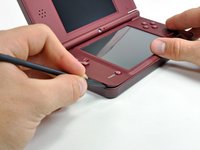
    3. Nintendo DSi XL Start/Select Buttons Replacement: passo 5, imagem 1 %32 Nintendo DSi XL Start/Select Buttons Replacement: passo 5, imagem 2 %32 Nintendo DSi XL Start/Select Buttons Replacement: passo 5, imagem 3 %32
      • Turn the DSi XL over, and open the display.

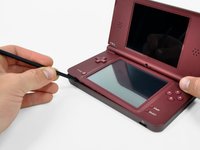
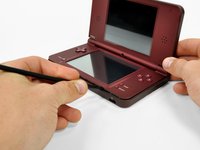
      • Insert a spudger between the upper and lower case at the bottom left corner of the DSi.

      • Slide the spudger along the bottom edge of the upper case to release the latches securing the upper case to the lower case.

      Pergunte ao FixBot

      Comentar

    4. Nintendo DSi XL Start/Select Buttons Replacement: passo 6, imagem 1 %32 Nintendo DSi XL Start/Select Buttons Replacement: passo 6, imagem 2 %32
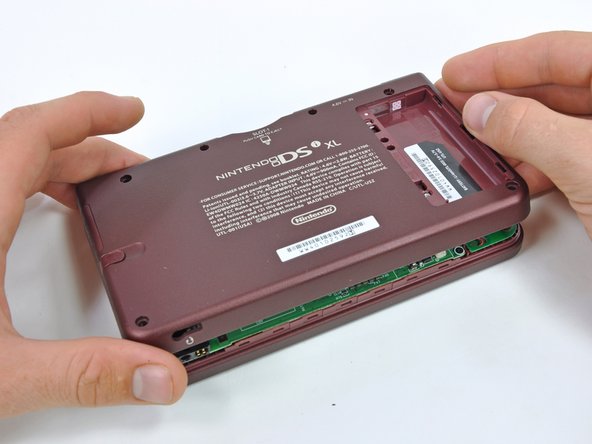
      • Close the display and turn the DSi XL over.

      • Lift the lower case from the front edge.

      • Rotate the lower case away from the DSi.

      • The lower case cannot be completely removed yet, since it is still connected to the motherboard.

      Pergunte ao FixBot

      Comentar

    5. Nintendo DSi XL Start/Select Buttons Replacement: passo 7, imagem 1 %32 Nintendo DSi XL Start/Select Buttons Replacement: passo 7, imagem 2 %32
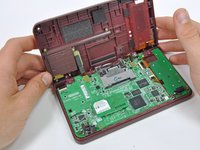
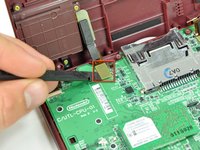
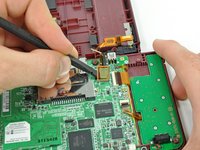
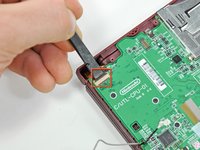
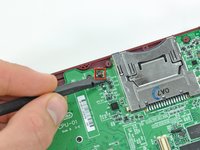
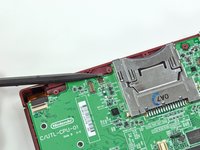
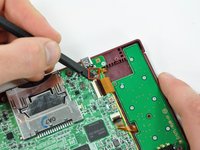
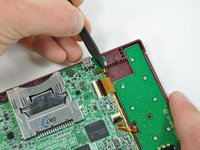
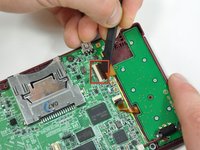
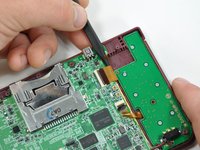
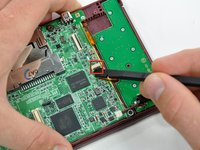
      • Using a spudger, pry the SD card/right shoulder button connector off its socket.

      • Pry the volume button/left shoulder button connector off its socket on the motherboard with a spudger.

      Pergunte ao FixBot

      Comentar

    1. Nintendo DSi XL Start/Select Buttons Replacement, Motherboard: passo 8, imagem 1 %32
      • Use a spudger to pry the microphone cable off the motherboard.

      • Pry from underneath the cable.

      Pergunte ao FixBot

      Comentar

    2. Nintendo DSi XL Start/Select Buttons Replacement: passo 9, imagem 1 %32 Nintendo DSi XL Start/Select Buttons Replacement: passo 9, imagem 2 %32
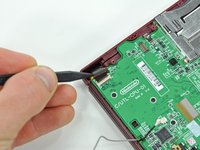
      • Using the flat end of a spudger, flip up the retaining flap on the camera ribbon ZIF connector.

      • Use the pointed end of a spudger to pull the camera ribbon from the ZIF connector.

      Pergunte ao FixBot

      Comentar

    3. Nintendo DSi XL Start/Select Buttons Replacement: passo 10, imagem 1 %32 Nintendo DSi XL Start/Select Buttons Replacement: passo 10, imagem 2 %32
      • Using the flat end of a spudger, flip up the retaining flap on the touchscreen cable ZIF connector.

      • With the pointed end of the spudger, pull the touchscreen cable from its connector on the motherboard.

      Pergunte ao FixBot

      Comentar

    4. Nintendo DSi XL Start/Select Buttons Replacement: passo 11, imagem 1 %32 Nintendo DSi XL Start/Select Buttons Replacement: passo 11, imagem 2 %32
      • Using the flat end of a spudger, flip up the retaining flap on the backlight cable ZIF connector.

      • With the pointed end of the spudger, pull the backlight cable from its connector on the motherboard.

      Pergunte ao FixBot

      Comentar

    5. Nintendo DSi XL Start/Select Buttons Replacement: passo 12, imagem 1 %32 Nintendo DSi XL Start/Select Buttons Replacement: passo 12, imagem 2 %32
      • Using the flat end of a spudger, flip up the retaining flap on the lower display data cable ZIF connector.

      • With the pointed end of the spudger, pull the lower display data cable from its connector on the motherboard.

      Pergunte ao FixBot

      Comentar

    6. Nintendo DSi XL Start/Select Buttons Replacement: passo 13, imagem 1 %32 Nintendo DSi XL Start/Select Buttons Replacement: passo 13, imagem 2 %32
      • Using the flat end of a spudger, flip up the retaining flap on the ZIF connector for the D-Pad/power button cable.

      • With the pointed end of the spudger, pull the D-Pad/power button cable from its connector on the motherboard.

      Pergunte ao FixBot

      Comentar

    7. Nintendo DSi XL Start/Select Buttons Replacement: passo 14, imagem 1 %32
      • Using the flat end of the spudger, pry the battery cable up off its socket on the motherboard.

      Pergunte ao FixBot

      Comentar

    8. Nintendo DSi XL Start/Select Buttons Replacement: passo 15, imagem 1 %32
      • Remove the screws securing the motherboard to the upper case:

      • A single 2.5 mm silver Phillips screw

      • Four 3.7 mm black Phillips screws

      Pergunte ao FixBot

      Comentar

    9. Nintendo DSi XL Start/Select Buttons Replacement: passo 16, imagem 1 %32
      • Deroute the microphone and antenna cables through the slot in the motherboard.

      Pergunte ao FixBot

      Comentar

    10. Nintendo DSi XL Start/Select Buttons Replacement: passo 17, imagem 1 %32 Nintendo DSi XL Start/Select Buttons Replacement: passo 17, imagem 2 %32
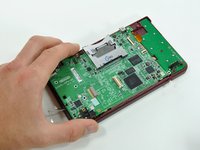
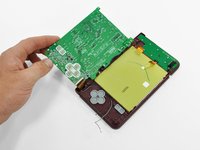
      • Rotate the motherboard off the lower case.

      • The motherboard cannot be completely removed yet. It is still attached by the upper LCD's display data ribbon cable.

      Pergunte ao FixBot

      Comentar

    11. Nintendo DSi XL Start/Select Buttons Replacement: passo 18, imagem 1 %32 Nintendo DSi XL Start/Select Buttons Replacement: passo 18, imagem 2 %32
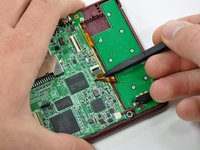
      • Using the flat end of a spudger, flip up the retaining flap on the upper display data cable ZIF connector.

      • With the pointed end of the spudger, pull the upper display data cable from its connector on the underside of the motherboard.

      • The motherboard is now free from the upper case.

      Pergunte ao FixBot

      Comentar

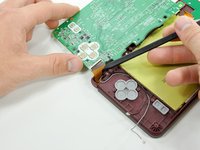
    1. Nintendo DSi XL Start/Select Buttons Replacement, Start/Select Buttons: passo 19, imagem 1 %32
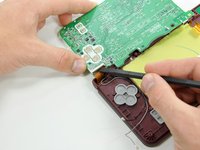
      • Lift the rubber pad off the back of the start/select buttons.

      Pergunte ao FixBot

      Comentar

    2. Nintendo DSi XL Start/Select Buttons Replacement: passo 20, imagem 1 %32 Nintendo DSi XL Start/Select Buttons Replacement: passo 20, imagem 2 %32
      • Open the display slightly and push the start and select buttons up through the upper case.

      • Remove the start/select buttons from the DSi XL.

      Pergunte ao FixBot

      Comentar

Conclusão

To reassemble your device, follow these instructions in reverse order.

Cancelar: não concluí este guia.

3 outras pessoas executaram este guia.

Brett Hartt

Membro desde: 04/12/10

132.579 Reputação

Autoria de 144 guias

Equipe

iFixit Membro de iFixit

Staff

121 Membros

Autoria de 72.895 guias

0Comentários do guia

Comentar

Visualizações:

Últimas 24 horas: 3

Últimos 7 dias: 22

Últimos 30 dias: 110

Ao todo: 5,614