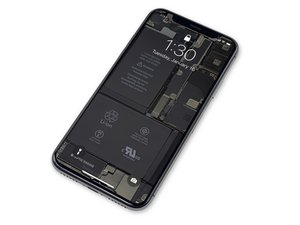
Tente estas soluções se o seu iPhone X não ligar. Muitas dessas correções também se aplicam a outros modelos de iPhone—confira a wiki sobre iPhone que não liga para instruções mais generalizadas.
O iPhone precisa de uma reinicialização forçada
O seu iPhone 10 pode estar temporariamente travado e precisar de uma reinicialização manual ou "reinicialização forçada". Pressione e solte rapidamente o botão Aumentar Volume, depois o botão Diminuir Volume. Por fim, pressione e segure o botão LIGA/DESLIGA até que o logotipo da Apple apareça, e então solte-o. Para instruções completas, veja o guia de reparo sobre Como forçar a reinicialização do iPhone X.
Bateria descarregada
Se a sua bateria estiver completamente sem carga, o seu iPhone pode não ligar imediatamente, mesmo quando conectado a uma fonte de energia. Conecte o seu iPhone a um carregador e deixe-o carregando por 30 minutos, e então tente ligá-lo novamente.
Porta de carregamento ou cabo sujos
Se o iPhone ainda não ligar após 30 minutos conectado à energia, verifique a porta de carregamento e o cabo e certifique-se de que estejam limpos. Se a porta de carregamento estiver obstruída com resíduos ou se os contatos do cabo de carregamento estiverem sujos, isso pode impedir que a bateria carregue. Limpe a porta cuidadosamente com um palito e um pouco de álcool isopropílico, deixe secar e tente um cabo de carregamento diferente. Alternativamente, tente carregar o seu iPhone sem fio.
Bateria ou porta de carregamento com defeito
Se o iPhone ainda não ligar, pode ser que ele esteja com uma bateria descarregada ou uma porta de carregamento com defeito. Substitua a bateria por uma parcialmente carregada e veja se o telefone liga. Caso contrário, pode haver um problema no botão LIGA/DESLIGA ou na placa lógica. Se o telefone ligar, conecte-o à energia e veja se a indicação de carregamento aparece. Se o telefone disser que está carregando, então o conector Lightning funciona e, provavelmente, você estava com uma bateria com defeito. Mas se ele ainda não carregar, pode ser necessário substituir o conector Lightning.
Botão LIGA/DESLIGA com defeito
Se o botão LIGA/DESLIGA não parecer funcionar, conecte o iPhone a uma fonte de energia e veja se ele liga automaticamente. Se o telefone ligar e tiver energia, então pode haver um problema com o botão LIGA/DESLIGA ou com o cabo do botão LIGA/DESLIGA. Teste o botão LIGA/DESLIGA e substitua-o, se necessário.
Tela com defeito
É possível que *pareça* que nada está acontecendo porque a tela está com defeito. Uma maneira fácil de testar isso é ligar o telefone e ouvir se ele emite algum som. Além disso, você pode mover a chave seletora de silêncio para frente e para trás para ver se ele vibra. Se ele vibrar ou você ouvir um som, mas nada aparecer na tela, então a tela é, muito provavelmente, o problema. Tente substituí-la e veja se o display ainda permanece preto.
Você pode comprar uma tela nova aqui.
Você também pode aprender como substituir a tela do iPhone X você mesmo.
Placa lógica com defeito
Se nenhuma das soluções acima resolver, a sua placa lógica pode estar com defeito e precisa ser substituída. Você pode substituir a placa inteira ou tentar diagnosticar e reparar usando técnicas de microssolda. Isso é um desafio à parte!
Se você tiver interesse em aprender reparo em nível de placa, pode começar a sua investigação aqui! Você também pode adquirir os materiais para praticar microssolda aqui.
Perguntas que outras pessoas fizeram sobre isso
- iPhone X Won't turn on
- Brought my iPhone x in the pool now it won't turn on!
- Why won't my iPhone turn on?



21 comentários
Hi my iPhone 10 has water damage it was working fine for half an hour after this then my iPhone 10 switched off and was stuck with the apple logo flashing on the screen the phone then went flat and hasn’t been able to charge till now it’s back flashing the apple logo I have tried the hard reset but this hasn’t worked need help
Chantelle Butler - Responder Compartilhar
i actually have the same problem rn..
noufelzakikhendoudi - Responder Compartilhar
did it ever restart? same issue here.
Myles Green - Responder Compartilhar
If my iPhone x is not plugged in its a black screen when I put it on charge its an apple logo on & off I've tried both the up vol & low vol then hold power button but nothing I've also tried the restore through iTunes but after 14 minutes of download with 4 minutes left it goes back to apple logo & no luck what else can I try ?
Paul Murphy - Responder Compartilhar
This sounds like your phone is in a boot loop and that can be one of many things. I haven’t read anything conclusive about how to fix it. I see phones stuck in a boot loop being sold on ebay for parts all the time.
Mark Blankley - Responder Compartilhar