Ir para o conteúdo principal
Participe da comunidade de reparos - Criar conta

ThinkPad T420 Keyboard reinstallation Replacement

Pré-requisito somente
Este é um guia somente para pré-requisitos! Este guia faz parte de outro procedimento e não deve ser usado sozinho.
  1. ThinkPad T420 Keyboard reinstallation Replacement, Keyboard reinstallation: passo 1, imagem 1 %32 ThinkPad T420 Keyboard reinstallation Replacement, Keyboard reinstallation: passo 1, imagem 2 %32 ThinkPad T420 Keyboard reinstallation Replacement, Keyboard reinstallation: passo 1, imagem 3 %32
    • If you are upgrading the RAM this will be done last. Once both modules are installed, perform this step without reinstalling the screw, then reinstall the screw once the module is accepted and working.

    • Reconnect the keyboard to the motherboard. Once connected, slide the top (volume controls) in first.

    • Once the top of the keyboard is pushed in, slide the keyboard down to re-engage the lower clips until they are not visible.

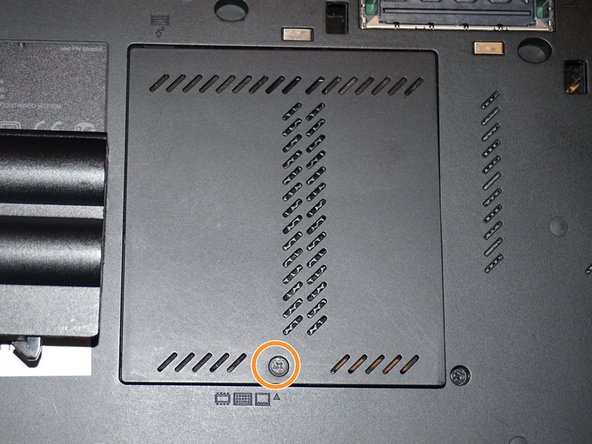
    • Replace the silver screw and RAM door.

  2. ThinkPad T420 Keyboard reinstallation Replacement, Reinstall the keyboard screw: passo 2, imagem 1 %32 ThinkPad T420 Keyboard reinstallation Replacement, Reinstall the keyboard screw: passo 2, imagem 2 %32 ThinkPad T420 Keyboard reinstallation Replacement, Reinstall the keyboard screw: passo 2, imagem 3 %32
    • Reinstall the keyboard screw.

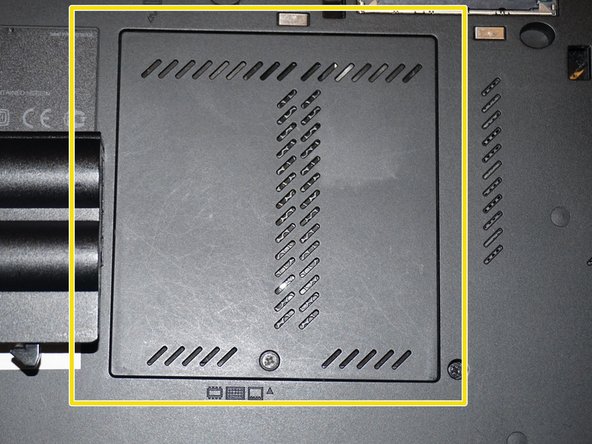
    • Reinstall the RAM door.

    • When the cover is properly reinstalled, it will be flush with the laptop.

Conclusão

To reassemble your device, follow these instructions in reverse order.

Nick

Membro desde: 11/10/09

100.393 Reputação

Autoria de 64 guias

Equipe

Master Techs Membro de Master Techs

Community

332 Membros

Autoria de 1.473 guias

0Comentários do guia

Comentar

Visualizações:

Últimas 24 horas: 0

Últimos 7 dias: 2

Últimos 30 dias: 9

Ao todo: 201