Introdução
Follow this guide to replace worn-out or damaged feet (also known as skates, glides, slides, or pads) on your Logitech MX Keys wireless keyboard.
O que você precisa
-
-
-
Slide the keyboard's power switch into the OFF position.
-
Unplug all cables from your keyboard.
-
Lay your keyboard down with the feet facing up on a clean work surface.
 Pergunte ao FixBot
-
-
-
Heat an iOpener and lay it on the top left foot for one minute.
-
-
-
-
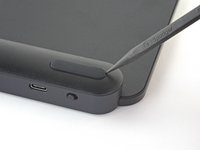
Insert the point of a spudger under an end of the foot.
-
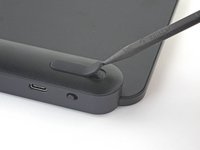
Push the spudger underneath the foot and lift until you can grip it with your fingers.
-
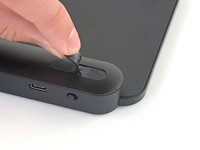
Peel the foot up and remove it.
-
Repeat the process to remove the remaining feet.
-
-
Ferramenta utilizada neste passo:Tesa 61395 Tape$2.95
-
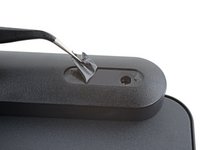
Use a pair of angled tweezers to peel up and remove all the plastic film from the foot recesses.
-
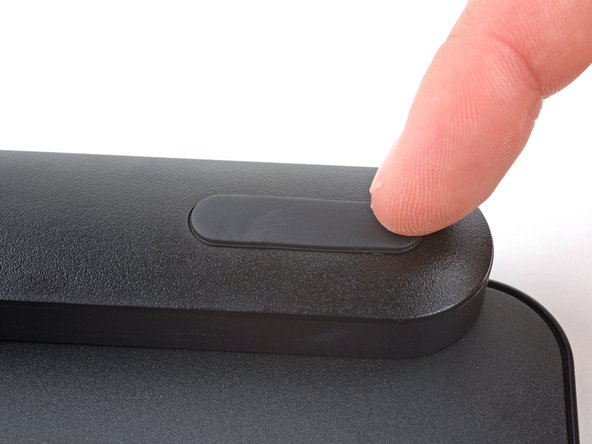
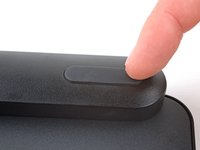
If you're installing new feet, remove them from their backing and firmly press them into place.
-
If you're reusing the feet, use a strip of double-sided tape to secure them in their recesses.
-
-




Repair didn’t go as planned? Try some basic troubleshooting, or ask our Answers community for help.
Cancelar: não concluí este guia.
2 outras pessoas executaram este guia.


2Comentários do guia
Where do you buy replacement 'feet' for the MX Keys?
Hi, mooie uitleg.
Vraagje: Heeft iemand een idee waar ik de voetjes van een mx toetsenbord kan kopen? Bij mij bord zijn er twee uitgevallen.
En een geweldig initiatief is ifixit!
Groet Henk Volkers
