Alto-falante
Essa tradução foi gerada por um programa e ainda não foi revisada por uma pessoa. Você fala esse idioma? Revise-a.

|
7 respostas 107 pontos |
How can I reset a managed chrome book back to factory |
|
17 respostas 27 pontos |
Mouse pad buttons not popping back up after clicked |
|
2 respostas 1 pontos |
How can I do a hard reset that will put it back to like new |
|
4 respostas 3 pontos |
Remove or replace the HD of Samsung XE303C12 |
Estas são algumas ferramentas comuns usadas para executar trabalhos neste dispositivo. Talvez você não precise usar todas elas em cada procedimento.
XE303C12
Encontre soluções para problemas comuns em Samsung Chromebook Series 3 Troubleshooting.
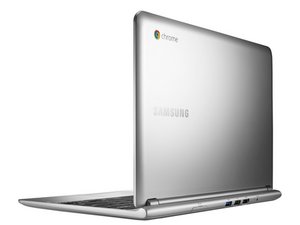
Lançado em outubro de 2012, o Samsung Chromebook Series 3 tem um processador Samsung Exynos 5 Dual de 1,7 GHz com 2 GB de memória e 16 GB de armazenamento. Com sua pequena tela de 11,6 polegadas e o sistema operacional Google Chrome OS, este Chromebook de cor prateada oferece acesso básico à Internet para quem está em movimento. Além da navegação na Internet, os aplicativos web fornecem acesso a utilitários comuns.
Uma reclamação sobre o Samsung Chromebook Series 3 é que o processador não é muito potente em comparação com outros Chromebooks populares, por isso você não consegue manter muitas abas do navegador abertas sem notar uma redução na velocidade. Outra reclamação comum é que este Chromebook não pode executar muitos programas populares, a menos que sejam projetados como um aplicativo web para o Chrome.
Identificado pelo número do modelo XE303C12-A01US.
Últimas 24 horas: 4
Últimos 7 dias: 39
Últimos 30 dias: 143
Ao todo: 22,240