
Ir para o conteúdo principal
Participe da comunidade de reparos - Criar conta

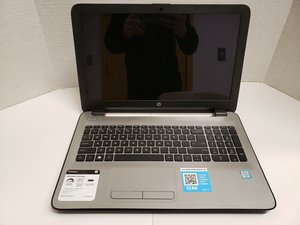
The HP Pavilion is a 15.6" inch touchscreen all-purpose laptop manufactured by HP. It's model number, 15-ay041wm.

Boot device not found display at startup

Upon power up message displayed boot device not found. Have attempted the F2 system Diagnostics all comes back normal this is the only action this device will allow. Any ideas

Responder a esta pergunta Também tenho esse problema

Esta é uma boa pergunta?

Pontuação 0
Adicionar um comentário

1 resposta

Pergunta mais útil

Hi @frankcox

Given that the BIOS has detected the HDD in the laptop, it could be a corrupted or missing boot partition on the HDD that is the problem.

Once way to fix it is to create a Windows Recovery USB drive and use that to fix the problem in your laptop.

You can create a Windows recovery drive from any known working Win10/Win11 PC. All you need is a 16GB USB flashdrive (Win10 - 32GB for Win11) and 1-2 hours of time.

In the host PC go to Control Panel > Recovery > Create a recovery drive and follow the prompts.

When you have the recovery drive, turn on the laptop and enter BIOS and change the boot order to USB as the 1st boot option. Insert the USB drive into the USB port in the laptop, and save the changes in BIOS.

When the laptop restarts it should boot into the Windows Recovery Environment menus.

If it does go to Troubleshooting > Advanced > Startup repair and follow the prompts

Esta resposta foi útil?

Pontuação 1
Adicionar um comentário

Adicionar a sua resposta

Frank Cox será eternamente grato(a).
Visualizações:

Últimas 24 horas: 1

Últimos 7 dias: 2

Últimos 30 dias: 8

Ao todo: 38
