Ir para o conteúdo principal
Participe da comunidade de reparos - Criar conta

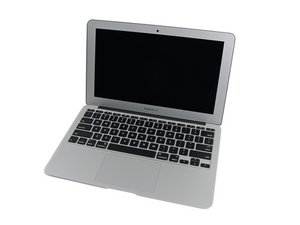
The March 2015 update of Apple's 11" MacBook Air features fifth generation Intel Core i5 and i7 processors, resulting in slightly increased performance and battery life.

No Backlight - Cannot locate the fault

2015 MBA A1465 (820-00164) - We power up, the screen will 'flash' and then go off, we can see the logo with a flashlight through the apple logo on the case, We have changed the 'P' Fuse, U7701 Backlight I/C & Q7706 MOSFET, Backlight enable is present 8v, We have tested with another display and the same (Ruling out a faulty LCD). All the components we have listed above are holding voltage and are not blowing.... @oldturkey03 any ideas what we need to check next? Technician is baffled. (We haven't tested with an external display as yet but have no reason the GPU has crashed as we do have an image).

Responder a esta pergunta Também tenho esse problema

Esta é uma boa pergunta?

Pontuação 1
4 comentários

It sounds like the boost logic has failed. There is a few caps that need to work for the logic to work. Check the caps.

por

@danj Any idea of the part numbers so we can locate them on the boardview and schematics? I think your right because the technician said I have 8v but it needs to be 24?

por

@livfe - locate the backlight inductor which is located near the LVDS connector, there are two larger tantalum capacitors and one smaller on the other side.

por

Adicionar um comentário

2 respostas

Pergunta mais útil

Looks like a boost circuit issue—check the backlight coil/diode path since it can drop backlight after initial flash.

Esta resposta foi útil?

Pontuação 1

1 comentário:

We have checked everything that @oldturkey mentioned before and replaced the BL I/C. We will go over it all again, I have to compile a list of components and their functional readings to check against what we have..... I am not good on this (Need the tech guy but he is struggling on this one), a step by step guide is in need LOL

por

Adicionar um comentário

@livfe what voltage do you get on D7701?

Block Image

BKL_EN should be 3.3V check for that on R7731 or R7715

Block Image

. The 8V you measure is most likely just the voltage from PPBUS_ G3H

If you do not have the voltage boost for your backlight, check L7701 which is a common issue.

Esta resposta foi útil?

Pontuação 0

24 comentários:

@oldturkey03 When we power up we get 20v on D7701 then it drops slowly until 8v. BKL_EN is 3.3v. L7701 reads 8.6v on both sides with 0.9 ohms resistance.

por

@livfe what voltage did you end up getting on R7731 or R7715? " Just reread this. You are getting ~20V but it drops down. Now, if the voltage is rising then dropping could be caused by the protection mode where your LED driver "sees" an issue i.e. something like a short circuit in the display connector, the LCD itself etc. it shuts down the boost to protect the board. Check your display connector.

L7701 reads 8.6v" that means you do not get the voltage boost. Replace L7701 and see what you get.

por

@oldturkey03 Technician says he will replace the L7701 we'll update when done. Replaced and still the same....

por

@livfe sounds like you have the schematic and the boardview. Check for XW7720. That is nothing but a solder pad bridge on the feedback trace. If that is gone it can cause the protection mode as well.

por

@oldturkey03 We never could make any progress, the solder bridge was intact.....

por

Exibir mais 19 comentários

Adicionar um comentário

Adicionar a sua resposta

livfe será eternamente grato(a).
Visualizações:

Últimas 24 horas: 0

Últimos 7 dias: 21

Últimos 30 dias: 59

Ao todo: 171
