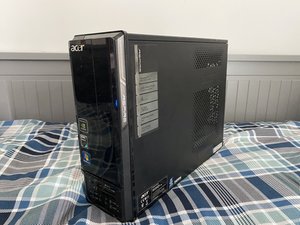
Keyboard mouse is not showing in display
Keyboard mouse is not showing in display
Esta é uma boa pergunta?
Pontuação
0

Keyboard mouse is not showing in display
Esta é uma boa pergunta?

Rep: 98,3 mil
 418
418
 297
297
 158
158
Start with a known baseline: Buy a new keyboard and mouse, or borrow a known good pair - I always keep multiple spares around for this reason, especially classic format OEM boards like the HP 125 or Lenovo Preferred Pro keyboard that has the key format which made the SK-811X family of Dell keyboards unforgettably good without having to pay $35+ for a rare NOS SK-811X/813X. If that fixes it, the keyboard and mouse were bad—that's usually the issue, especially if you don't use a USB switch to "share" a keyboard between 2+ machines.
If you use a hub like the USB Ugreen switch, connect it directly to the PC if it is the right one for your PC. If it is, connect it to the PC directly and make sure. If it works, the switch has an issue, especially if it's a plug-and-play one. They also have issues in the BIOS in my experience with some PCs, but I've noticed that on my HP's BIOS, it's kind of forgiving about timing; you need to spam the key you want earlier than you would without the lag. It's usually better to have a second board handy for that. You can use it without the delay being an issue, since the firmware doesn't expect an intermediary.
If it still has issues, it's likely a motherboard port issue— try moving the keyboard and mouse and see what happens, then try another device like a USB drive you can risk in case it shorts and kills it.
Esta resposta foi útil?
Últimas 24 horas: 0
Últimos 7 dias: 8
Últimos 30 dias: 24
Ao todo: 80

1 comentário
Going to need more info than one sentence if you'd like help. What do you mean 'not showing in display'?
por MacManMondo