
Ir para o conteúdo principal
Participe da comunidade de reparos - Criar conta

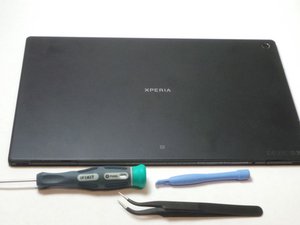
Released May, 2013. Display - 1200 x 1920 pixels, 10.1 inches. Chipset - Qualcomm Snapdragon APQ8064, CPU - Quad-core 1.5 GHz Krait, GPU - Adreno 320. Memory - 16/32 GB, 2 GB RAM. Android OS, v4.1.2 (Jelly Bean), upgradаble to v4.4.2 (KitKat).

Comment procéder au Factory reset

Comment restaurer une tablette sony xperia ?

Responder a esta pergunta Também tenho esse problema

Esta é uma boa pergunta?

Pontuação 0
Adicionar um comentário

1 resposta

Pergunta mais útil

Hi @patientkitiaka

  • If you can still access the tablet, go to Menu > Settings > Backup & reset > Factory data reset.
  • To perform a factory reset using the buttons, turn off the tablet and then, press and hold the Volume Down + Power button (both together) until the Recovery menu appears. Use the Volume buttons to navigate to the Wipe data/factory restore option and then press the Power button to confirm.

Esta resposta foi útil?

Pontuação 1
Adicionar um comentário

Adicionar a sua resposta

Patient KITIAKA será eternamente grato(a).
Visualizações:

Últimas 24 horas: 0

Últimos 7 dias: 8

Últimos 30 dias: 17

Ao todo: 95
