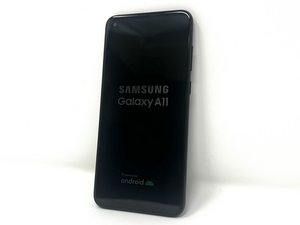

Sem Sinal de rede
Só pega sinal de rede próximo as antenas
Esta é uma boa pergunta?
Pontuação
0
Rep: 13
 1
1
Só pega sinal de rede próximo as antenas
Esta é uma boa pergunta?
Rep: 864,1 mil
1,5 mil
 982
982
 2,4 mil
@danielsant38714 it would really help us to let us know what you have already tried. I would suggest you start off with resetting your network settings.
To confirm, review the info then tap Reset
Make sure that you have all updated software and double check your settings. It i s possible that you are having antenna issues or other hardware issues. You may have to open your phone and check the antenna. Sometimes issues like this are resolved by replacing the charging port that has the antenna connections.
Since ifixit does not yet have a specific guide for this, use something like this video Replacement boards are relatively inexpensive and are readily available at many online stores.
While you work on your phone, take lots of pictures. Once you are done with it, take those pictures and create a guide for iFixit. That will help the next person that has a device with the same issues as you do. It's easy and fun to create these guides. https://ifixit.com/Guide/new The iFixit community will appreciate this.
Repair is War on Entropy!
Translation
@danielsant38714, seria uma grande ajuda se nos dissesses o que já tentaste. Sugiro que comeces por repor as tuas definições de rede.
A partir do ecrã inicial, desliza para cima para acederes ao ecrã de aplicações.
Vai a:
Definições
Gestão geral
Repor
Toca em
Repor definições de rede
Revê a informação e depois toca em
Repor definições
Se for apresentado, introduz o PIN, a palavra-passe ou o padrão atual.
Para confirmar, revê a informação e depois toca em Repor
Certifica-te de que tens todo o software atualizado e verifica novamente as definições. É possível que estejas a ter problemas com a antena ou com outro hardware. Poderás ter de abrir o telefone e verificar a antena. Por vezes, problemas como este são resolvidos substituindo a porta de carregamento que tem as ligações da antena.
Uma vez que o iFixit ainda não tem um guia específico para isto, utiliza algo como este vídeo As placas de substituição são relativamente baratas e estão facilmente disponíveis em muitas lojas online.
Enquanto trabalhas no teu telefone, tira muitas fotografias. Quando acabares, tira essas fotografias e cria um guia para o iFixit. Isso ajudará a próxima pessoa que tenha um aparelho com os mesmos problemas que tu. É fácil e divertido criar estes guias. https://ifixit.com/Guide/new A comunidade iFixit vai agradecer-te.
Reparar é uma guerra contra a entropia!
.
Esta resposta foi útil?
Últimas 24 horas: 0
Últimos 7 dias: 0
Últimos 30 dias: 2
Ao todo: 167

