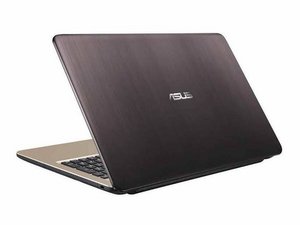

The Wifi icon is missing
Why am I not getting a wifi icon on my laptop?
Esta é uma boa pergunta?
Pontuação
1
Rep: 13
 1
1
Why am I not getting a wifi icon on my laptop?
Esta é uma boa pergunta?
Rep: 550,1 mil
11
 424
424
 1,6 mil
Hi @carol66188
Have you tried pressing the Fn+F12 keys (both together to check if the WiFi turns on and not that the laptop is in airplane mode?
If still no good, check the status of the WLAN adapter in Device Manager
To get to Device Manager in Win10/11 press the Win key and the x key (both together) and select the Device Manager link that in the menu options that opens.
When in Device Manager scroll down to Network Adapters and click on the > symbol to expand the list, right click on the Realtek WLAN driver entry → Properties → General and check what it says in the Device status box. Does it show "this device is working properly"?
If there's a red cross next to the WLAN entry right click on the entry → Enable and check if it works OK
If there's a yellow exclamation mark next to the WLAN entry, right click on the entry → Update drivers and follow the prompts. You need to be online (Ethernet cable connection to your router) for this to work.
If there's no WLAN entry in Device Manager (also check if in Other Devices category (if listed) and also click on View → Show hidden devices to make sure that it is not listed in Device Manager at all), restart the laptop and get into BIOS on startup. To get into BIOS press the F2 key after starting the laptop.
When in BIOS go to the Security tab → LAN network Interface → Wireless Network interface → Unlock
If all the above appears to be OK then it may be that the WLAN card in the laptop is faulty and will need to be replaced.
Esta resposta foi útil?
also can try downgrade to win10,so many asus laptop after upgrade to win11 ,suddenly wifi lost.
Rep: 1
3
I had the same issue with my laptop not showing the WiFi icon. What worked for me was checking if my WiFi was enabled in the settings. Sometimes, updating or reinstalling the network drivers from the Device Manager can solve the problem. Also, ensuring airplane mode is turned off helped. If you still face issues, restarting your laptop or checking for Windows updates might do the trick. Good luck!
Esta resposta foi útil?
You can check the wifi adapter inside the laptop that is wired to the motherboard it should be visible when you unscrew the back of the laptop
There could be shortages inside the circuit if it is shortages try to identify it with a multimeter
If there is not any shortages then there could be missing software updates or drivers
Esta resposta foi útil?
Rep: 1
3
If your laptop isn’t showing a Wi-Fi icon, it usually means Windows isn’t detecting the wireless adapter. Try these quick fixes:
Esta resposta foi útil?
Últimas 24 horas: 0
Últimos 7 dias: 14
Últimos 30 dias: 44
Ao todo: 721





1 comentário
you must install the driver, use the drivers software
por View Jpeg