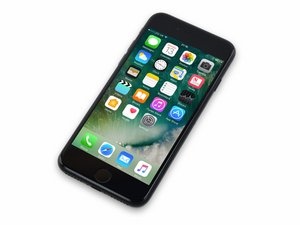
Screen wont sit flush
Hello. I changed the charging port and battery and now when i put the screen back on, in the down right corner it doesnt sit flush. Its raised a bit. Please help
Esta é uma boa pergunta?
Pontuação
0

Rep: 1
 1
1
Hello. I changed the charging port and battery and now when i put the screen back on, in the down right corner it doesnt sit flush. Its raised a bit. Please help
Esta é uma boa pergunta?

Rep: 221,8 mil
15
 297
297
 808
808
This is usually caused by how the screen flex cables are aligned. Take a look at the flex coming from the screen and notice that there is a silvery “chip” on the flex. If it isn’t aligned properly, it will impede the way the screen sits on the housing.
Esta resposta foi útil?
Where is the silvery chip ? I cant find it. Could you send me a photo of it please ?
oh, i know what chip. It seems that the chip from my replacement screen is a bit bigger than the one on the original one. What should i do with it ?
The arrow of the "Start Guide" practically points to it :>). Sometimes it just needs to be moved over a little bit until it rests in the opposite "hole" properly.

Rep: 2,5 mil
13
6
1
Did you use this because without it, it can cause it to pop up a little. iPhone 7 Display Assembly Adhesive
Esta resposta foi útil?
No I didnt but i dont think its the solution. I noticed that the silvery chip on the flex cable is a bit larger than the one on the original screen. I think it doesnt fit in because its too big. What should I do about it ?
Where did you get the screen from ifixit?
Ok if you didn't get it from here then get this. iPhone 7 Screen iPhone 7 Display Assembly Adhesive
OK, thanks :D
Keep me updated on how it goes.
Últimas 24 horas: 0
Últimos 7 dias: 2
Últimos 30 dias: 11
Ao todo: 205

