
Ir para o conteúdo principal

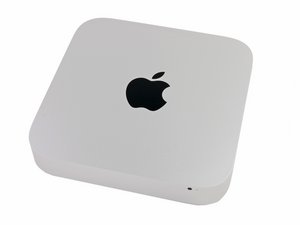
Model A1347. Released on October 23, 2012. Core i5 or Core i7 Processor. Apple Fusion Drive.

Fusion drive delete and configure 2x ssd in raid 0

i bought a macmini 6,1 late 2012 today.

It has 1 tb fusion drive and it works well but not what I expected as I planned to use a data doubler and plunk in 2 x 960 gb sata 3 ssd in raid 0.

Internet searches have me confused that the connectors are different with fusion drive installed.

Can I still go ahead with my project with just a data doubler and add 2 2.5"size ssd?

Respondido! Ver a resposta Também tenho esse problema

Esta é uma boa pergunta?

Pontuação 0
1 comentário
Adicionar um comentário

1 resposta

Solução escolhida

Yes! Your system can support two SATA HD or SSD drives!

Here is the kit you need: Mac Mini Dual Drive Kit which gets you the needed parts and tools to put in the second drive. And here is the IFIXIT guide you'll need to follow: Installing Mac Mini Late 2012 Dual Hard Drive Kit.

Are you sure you got the Macmini6,1? I suspect you got the Macmini6,2 Mac mini 2.3 GHz i7 (Late 2012) as it was the first Mac mini model which offered a Fusion Drive. In this series Apple used a 2.5" SSD.

If you got a newer 2014 then you'll have issues as it can't support two SATA drives. Instead it supports one SATA drive and one PCIe custom Apple blade drive. Here's the IFIXIT guides for this series: Mac Mini Late 2014.

If you review this Mac Mini Late 2014 Teardown jump to Step 5 while not present in this system the area just behind the fan is were the Blade SSD would be which you can see in Step9. In the 2012 models this would be a 2.5" HD or SSD. You may want to pop the bottom off to double check what you really have here.

Its also possible someone created their own Fusion Drive setup as well.

Imagem de All the hardware needed to a second hard drive to your 2011 or 2012 Mac mini.

Produto

Mac mini Dual Drive Kit

$26.99

Imagem de Mac Mini Late 2012 Dual Hard Drive Kit

Guia

Installing Mac Mini Late 2012 Dual Hard Drive Kit

Nível de dificuldade:

Moderado

1 - 2 hours

Imagem de Mac mini Late 2014

Guia

Mac mini Late 2014 Teardown

Nível de dificuldade:

Moderado

Esta resposta foi útil?

Pontuação 1

1 comentário:

Before you take any drive out you'll want to break the Fusion drive set first!

Follow the steps outlined here: How to split up a Fusion Drive

por

Adicionar um comentário

Adicionar a sua resposta

Kevin Brown será eternamente grato(a).
Visualizações:

Últimas 24 horas: 0

Últimos 7 dias: 0

Últimos 30 dias: 5

Ao todo: 616
