
Ir para o conteúdo principal
Participe da comunidade de reparos - Criar conta

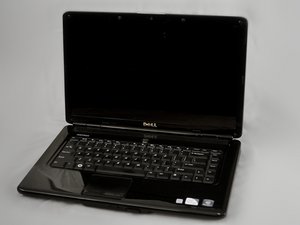
Lançado online em 16 de janeiro de 2009, o Inspiron 1545 é um notebook econômico de 15,6" disponível com 3 ou 4 GB de RAM. Ele sucedeu o Inspiron 1525.

2 beeps,black screen plz help

i hold the power button for a couple seconds and it beeps 2 times i tried taking the battery out and couple more things and it beeped yesterday then i toke the battery out and turned it back on with the battery on it worked .PLZ help me

Respondido! Ver a resposta Também tenho esse problema

Esta é uma boa pergunta?

Pontuação 0
Adicionar um comentário

2 respostas

Solução escolhida

brittany2015, 2 beep POST beep is a No Memory (RAM) detected error. This could be the memory module as well as the memory slot failure. If you have more than one module. Pull one at a time and see if it POST properly. If you only have one, you may need to re-seat it or clean the contacts where it sits in the memory slot. If that does not fix it, and if your able to see the Dell Logo at startup, press F12 at that page. Select Diagnostics, and run an extended diagnostics on your computer. Worst case scenario is a slot failure which would require a new motherboard.

Esta resposta foi útil?

Pontuação 4

2 comentários:

i tried the F12 thing it didnt work but thanks for your help

por

This can also to be the cmos battery my cmos battery is dead and removing that battry the computer boots up to say cmos battery failure but if u press F1 it will boot to the os and if there is no os it will just say no os.

por

Adicionar um comentário

I know this is an old thread but it came up when I googled my problem so I imagine it must come up for others as well. I had a black screen with a double beep alarm. I took it to geek squad where they told me that it was 70$ to run diagnostic and 350$ to replace parts. I took my dell home and removed the. Artery and the panel on the bottom with the small screw. Inside the memory panel is right in front of you. U click the little grey plastic holders on the side and the memory card will tilt upwards so you can slide it out. Just like an SD card. Take it out and reconnect it. My computer works like a charm. Hope this helps.

Esta resposta foi útil?

Pontuação 1

1 comentário:

thanks for taking the time..

por

Adicionar um comentário

Adicionar a sua resposta

brittany2015 será eternamente grato(a).
Visualizações:

Últimas 24 horas: 1

Últimos 7 dias: 7

Últimos 30 dias: 65

Ao todo: 12,470

