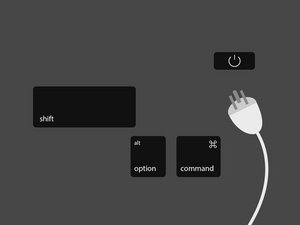
A técnica para redefinir o SMC varia dependendo do tipo de Mac com o qual você está realizando a resolução de problemas. Encontre o seu dispositivo e siga os passos correspondentes para redefinir o seu SMC.
Mac Laptops
O procedimento para redefinir o SMC em um laptop Apple depende se o seu laptop possui uma bateria que pode ser substituída pelo usuário. Laptops Apple mais antigos (fabricados antes de 2009) costumavam ter baterias substituíveis pelo usuário. Apenas siga os passos de ‘‘Bateria removível’’ se você tiver um laptop Apple com uma bateria que pode ser substituída sem o uso de ferramentas.
Bateria removível
Se o seu laptop Apple possui uma bateria que pode ser removida pelo usuário, redefina o SMC com os seguintes passos:
- Desligue o laptop.
- Remova ou desconecte a bateria.
- Com a bateria removida, pressione e segure o botão LIGA/DESLIGA por quinze segundos.
- Reinstale a bateria e pressione o botão LIGA/DESLIGA para ligar o laptop.
Bateria não removível
Se o seu laptop Apple não possui uma bateria que pode ser removida pelo usuário, redefina o SMC com estes passos:
- Desligue o laptop pelo menu Apple (ícone da Apple -> Desligar).
- Assim que o seu laptop estiver completamente desligado, segure as teclas Shift, Control e Option no lado esquerdo do teclado integrado e, em seguida, pressione o botão LIGA/DESLIGA ao mesmo tempo. Segure todas as quatro teclas pressionadas por 10 segundos.
- Se você tiver um MacBook Pro com Touch ID, o botão Touch ID também é o botão LIGA/DESLIGA.
Computadores Mac de mesa
Para redefinir o SMC em um computador Mac de mesa:
- Desligue o computador.
- Desconecte o cabo de alimentação.
- Pressione e segure o botão LIGA/DESLIGA por quinze segundos.
- Conecte o cabo de alimentação.
- Aguarde cinco segundos ou mais e, em seguida, ligue o computador.
Notebooks Mac com chip T2
Computadores Mac fabricados com o chip de segurança T2, proprietário da Apple, possuem um método “suave” de redefinição do SMC, além dos métodos listados acima. A Apple recomenda que você tente estes métodos primeiro. Verifique esta lista para ver se o seu computador possui um chip T2.
- Desligue o computador pelo menu Apple (ícone da Apple -> Desligar).
- Assim que o computador estiver completamente desligado, segure o botão LIGA/DESLIGA por quinze segundos.
- Solte o botão LIGA/DESLIGA e, em seguida, aguarde 5 segundos.
- Pressione o botão LIGA/DESLIGA novamente para ligar o seu Mac.
Para uma lista completa de funções e sintomas relacionados ao SMC, visite a página de resolução de problemas do SMC da Apple.
Se você estiver enfrentando problemas com alto-falantes, tela ou outros periféricos, talvez precise redefinir a NVRAM do seu Mac.
Macs com Apple Silicon
Macs com processadores Apple Silicon não processam uma redefinição de SMC porque não possuem um sistema de Controlador de Gerenciamento do Sistema como os Macs baseados em processadores Intel.


10 comentários
I have a problem.
My Ctrl-button is non-functional and I have a mid-2012 MacBook Pro - hence I cannot perform the acquired maneuver in order to initiate the SMC-reset.
How do one go about resetting the SMC when faced with that complication, on the Macbook that I happen to have?
/Daniel
Danney - Responder Compartilhar
That MB Pro (2012) is notorious for logic board failures-that CAN NOT be fixed! - I spent countless hours and at least $1k to find out the sad truth. I replaced it in 2018 with an MB Air and have been happy with it.
J R Hildebrand - Responder Compartilhar
my keyboard died years ago, along with display, trackpad and bluetooth, when the cable crapped out.
the cable may be your problem?
meantime my problem is that i am using the machine as a desktop, with external display, etc, and it is really all i have or could ever afford to replace..
have just bought and installed a new battery, now i must reset the SMC, or it will not charge - how do i do this?
or has apple defeated me?
bookface - Responder Compartilhar
Since my mac mini 2018 has a T2 Chip, should I unplug the mini and follow the information above as listed in "Mac Desktops?" Rather than follow the information above listed in "Mac notebooks With a T2 Chip?" The reason for my question is when I followed the information listed in Mac notebooks With a T2 Chip, while holding the power button for 10 seconds, my mini began its startup process, and when waiting five seconds, I again pressed the power button again to turn on my mac, yet the mac was already on.
Dennis Evans - Responder Compartilhar
Please my MacBook was not found on the screen when I just power it it will read slow after that it cut off so I don't know the reason why
Samuel Donkoh - Responder Compartilhar