Ir para o conteúdo principal
Participe da comunidade de reparos - Criar conta

iRobot Roomba S9 Plus Battery Module Replacement

O que você precisa

    1. iRobot Roomba S9 Plus Battery Module Replacement, Battery Module: passo 1, imagem 1 %32
      • Using a Phillips #2 screwdriver, loosen the four screws in the bottom cover of the vacuum.

      • The screws cannot be removed and should be loosened.

      Pergunte ao FixBot

      Comentar

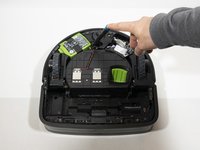
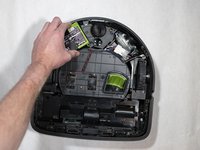
    2. iRobot Roomba S9 Plus Battery Module Replacement: passo 2, imagem 1 %32 iRobot Roomba S9 Plus Battery Module Replacement: passo 2, imagem 2 %32
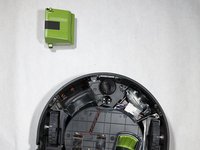
      • Lift up the bottom cover to reveal the battery module.

      Pergunte ao FixBot

      Comentar

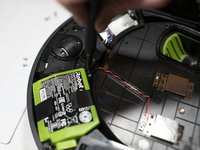
    3. iRobot Roomba S9 Plus Battery Module Replacement: passo 3, imagem 1 %32 iRobot Roomba S9 Plus Battery Module Replacement: passo 3, imagem 2 %32
      • Remove the 11mm Phillips #2 screw next to the battery module.

      Pergunte ao FixBot

      Comentar

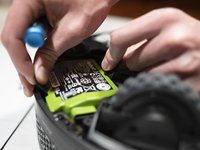
    4. iRobot Roomba S9 Plus Battery Module Replacement: passo 4, imagem 1 %32 iRobot Roomba S9 Plus Battery Module Replacement: passo 4, imagem 2 %32 iRobot Roomba S9 Plus Battery Module Replacement: passo 4, imagem 3 %32
      • Pull the pull tabs to release the battery.

      • If the battery isn't releasing, make sure to check the screw next to the battery.

      Pergunte ao FixBot

      Comentar

Conclusão

To reassemble your device, follow these instructions in reverse order.

Cancelar: não concluí este guia.

6 outras pessoas executaram este guia.

Jason Chu

Membro desde: 01/23/20

288 Reputação

Autoria de 1 guia

Equipe

Cal Poly, Team S18-G3, White Winter 2020 Membro de Cal Poly, Team S18-G3, White Winter 2020

CPSU-WHITE-W20S18G3

4 Membros

Autoria de 17 guias

0Comentários do guia

Comentar

Visualizações:

Últimas 24 horas: 2

Últimos 7 dias: 13

Últimos 30 dias: 58

Ao todo: 8,107