Ir para o conteúdo principal
Participe da comunidade de reparos - Criar conta

bObi Pet Screen Replacement

O que você precisa

    1. bObi Pet Screen  Replacement, Turn bObi Pet Off: passo 1, imagem 1 %32 bObi Pet Screen  Replacement, Turn bObi Pet Off: passo 1, imagem 2 %32 bObi Pet Screen  Replacement, Turn bObi Pet Off: passo 1, imagem 3 %32
      • Before we get started, turn bObi Pet OFF and flip her over onto a flat surface.

      • Next, remove bObi Pet's dustbin. Grip the small tab on the back of the bin, and pull to remove.

      Pergunte ao FixBot

      Comentar

    2. bObi Pet Screen  Replacement, Remove the Front Wheel: passo 2, imagem 1 %32 bObi Pet Screen  Replacement, Remove the Front Wheel: passo 2, imagem 2 %32
      • Grip the front wheel and pull straight up, using the screwdriver for leverage.

      • The wheel will pop out and you will see two screws beneath it.

      • There is a larger screw set deeper in the wheel compartment. Use the screwdriver to remove it.

      • Remember to keep all screws and parts removed from bObi Pet safely aside during the repair. They may be needed for re-assembly.

      Pergunte ao FixBot

      Comentar

    3. bObi Pet Screen  Replacement, Remove the Dustbin's Holders: passo 3, imagem 1 %32 bObi Pet Screen  Replacement, Remove the Dustbin's Holders: passo 3, imagem 2 %32 bObi Pet Screen  Replacement, Remove the Dustbin's Holders: passo 3, imagem 3 %32
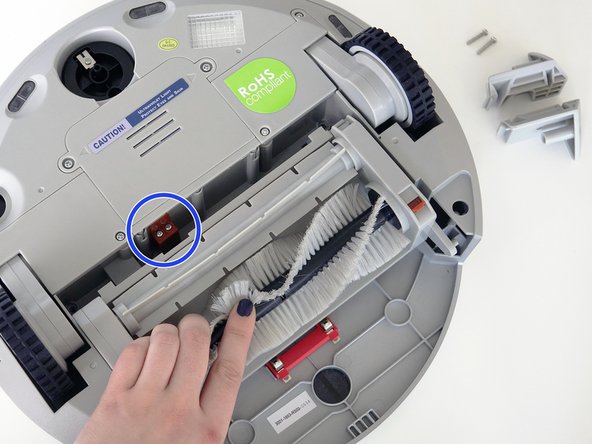
      • Remove the screws on both sides of bObi Pet’s dustbin. Then, remove the corner pieces that were held down by the screws.

      • Grip the brush compartment and pull down to reveal two screws on a red fastener.

      • Remove them with the screwdriver.

      Pergunte ao FixBot

      Comentar

    4. bObi Pet Screen  Replacement, Remove the Main Brush Attachment: passo 4, imagem 1 %32 bObi Pet Screen  Replacement, Remove the Main Brush Attachment: passo 4, imagem 2 %32 bObi Pet Screen  Replacement, Remove the Main Brush Attachment: passo 4, imagem 3 %32
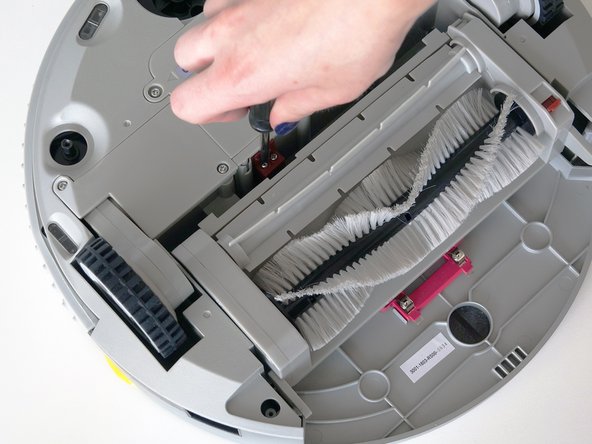
      • Pull the brush compartment up until the fastener is freed from bObi Pet. Then, detach the brush compartment's circuit plug and set it aside.

      • Remove the 4 screws located beneath the brush compartment.

      Pergunte ao FixBot

      Comentar

    5. bObi Pet Screen  Replacement, Remove the Cover Screws: passo 5, imagem 1 %32 bObi Pet Screen  Replacement, Remove the Cover Screws: passo 5, imagem 2 %32
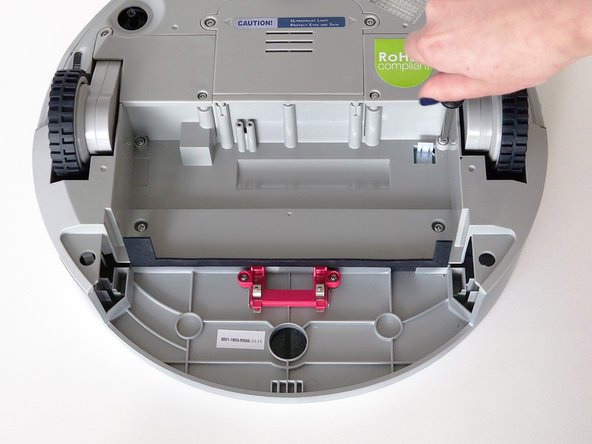
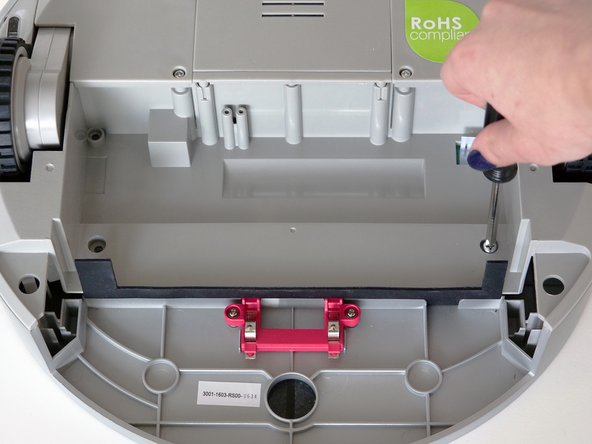
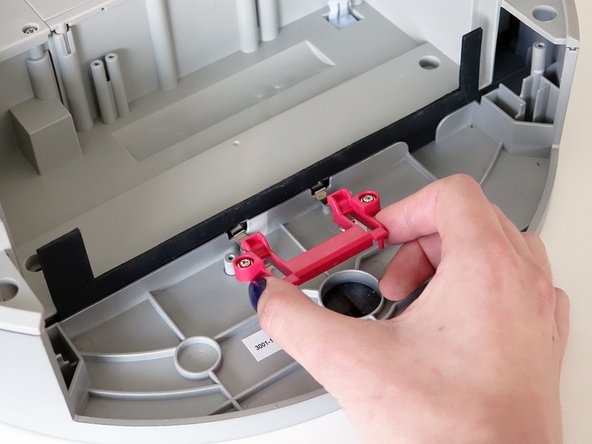
      • Remove the 2 screws on the dustbin’s red fastener.

      • Remove the fastener and set it aside for reassembly.

      • The cover is no longer secured, so carefully flip bObi Pet onto her wheels.

      Pergunte ao FixBot

      Comentar

    6. bObi Pet Screen  Replacement, Detach the Cover: passo 6, imagem 1 %32 bObi Pet Screen  Replacement, Detach the Cover: passo 6, imagem 2 %32 bObi Pet Screen  Replacement, Detach the Cover: passo 6, imagem 3 %32
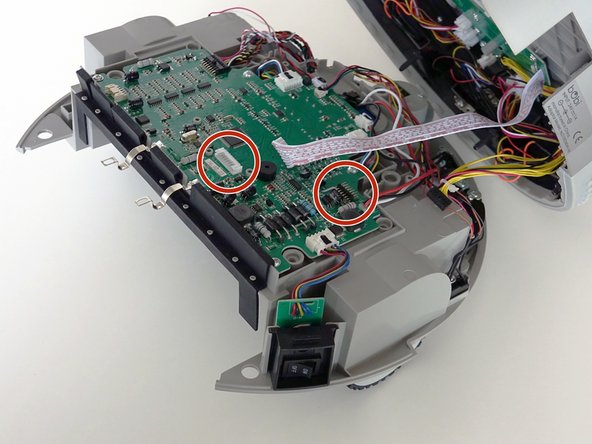
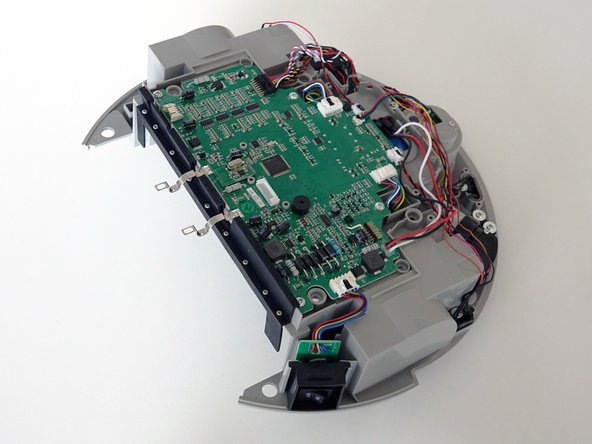
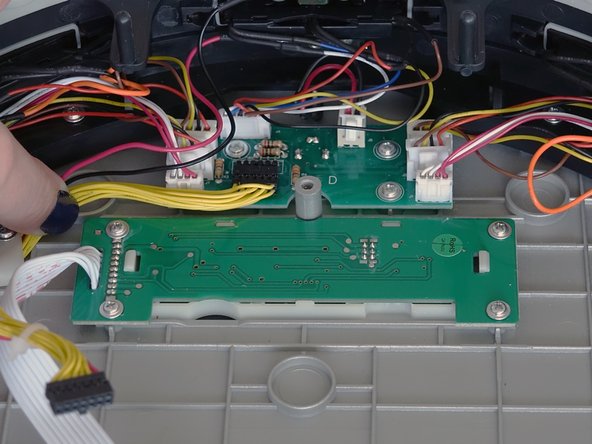
      • Lift the cover to reveal the main board underneath.

      • Remove the two circuit plugs connecting the lid to the mainboard.

      • bObi Pet's cover is entirely separated, and you may now access any of her internal parts for replacement.

      Pergunte ao FixBot

      Comentar

    1. bObi Pet Screen  Replacement, Remove the Screen: passo 7, imagem 1 %32 bObi Pet Screen  Replacement, Remove the Screen: passo 7, imagem 2 %32 bObi Pet Screen  Replacement, Remove the Screen: passo 7, imagem 3 %32
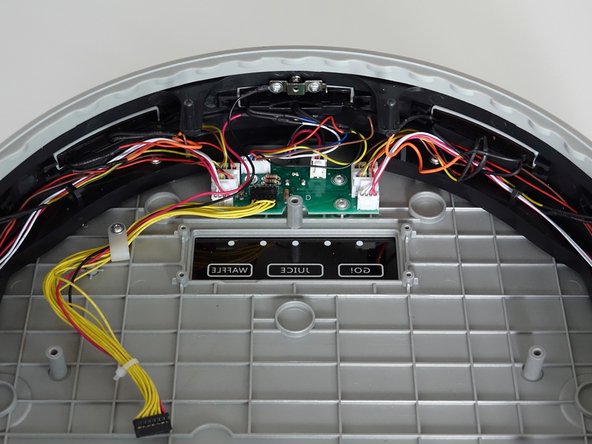
      • Remove the four screws holding bObi Pet's screen.

      • Then, lift it straight up and out to make space for the replacement.

      Pergunte ao FixBot

      Comentar

    2. bObi Pet Screen  Replacement, Place the New Screen: passo 8, imagem 1 %32 bObi Pet Screen  Replacement, Place the New Screen: passo 8, imagem 2 %32 bObi Pet Screen  Replacement, Place the New Screen: passo 8, imagem 3 %32
      • Lay the new screen in the open space on bObi Pet's lid.

      • Align the screw holes on the screen with the screw posts in bObi Pet and push down until it lies flat.

      • Install all four screws, and you'll be ready to close bObi Pet. See the following instructions: Assemble bObi Pet Post-Repair

      Pergunte ao FixBot

      Comentar

Conclusão

To reassemble bObi Pet, see this tutorial: Assemble bObi Pet Post-Repair

Cancelar: não concluí este guia.

Chelsea

Membro desde: 09/24/14

2.278 Reputação

Autoria de 31 guias

0Comentários do guia

Comentar

Visualizações:

Últimas 24 horas: 2

Últimos 7 dias: 8

Últimos 30 dias: 29

Ao todo: 293