Essa tradução foi gerada por um programa e ainda não foi revisada por uma pessoa. Falas essa língua? Dá uma olhada.
Introdução
Este guia ensinará passo a passo como substituir a sua tela LCD.
O que você precisa
-
-
-
Use uma chave Phillips #00 para remover os quatro (4) parafusos na parte traseira do dispositivo.
-
Se os parafusos estiverem espanados ou se tiverem sido espanados anteriormente, consulte o guia de reparo de parafuso espanado.
 Pergunte ao FixBot
-
-
-
A bateria é o objeto retangular e prateado no centro do dispositivo.
-
Remova a bateria com o dedo, fazendo alavanca pela parte traseira.
-
Se não conseguir remover a bateria, retire-a usando uma espátula.
-
-
-
-
-
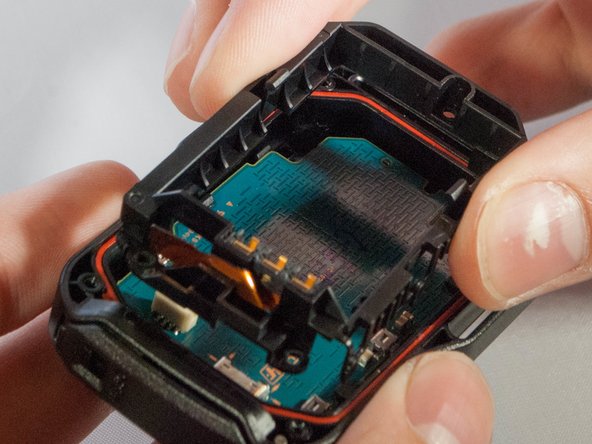
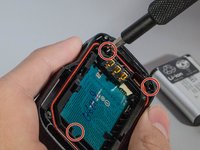
Desparafuse os três parafusos que prendem o suporte no lugar.
-
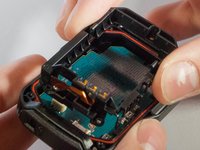
Em seguida, remova o suporte levantando uma das extremidades com uma espátula.
-
-
-
Ferramenta utilizada neste passo:Tweezers$4.99
-
Com a pinça, desconecte o cabo plano do conector branco.
-
-
-
Remova a placa-mãe do dispositivo puxando-a gentilmente para cima, com os dedos ou com uma pinça.
-
-
-
Empurre cuidadosamente estes dois clipes que prendem o LCD à placa-mãe.
-
Assim que soltar os dois primeiros, empurre o LCD, com muito cuidado, em direção aos dois clipes restantes.
-
-
-
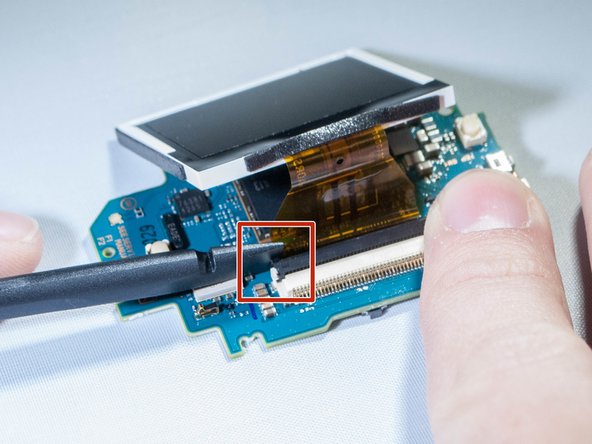
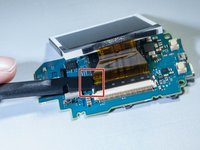
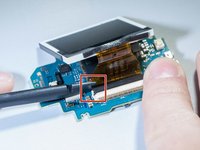
Desconecte o cabo plano fixado entre a placa-mãe e a tela levantando a aba preta que prende o cabo, usando uma espátula. (Veja as imagens)
-
-





Para a remontagem de seu dispositivo, siga estas instruções na ordem inversa.
Cancelar: não concluí este guia.
Uma outra pessoa concluiu este guia.

Equipe

Eastern Washington University, Team S2-G2, Crane Fall 2017 Membro de Eastern Washington University, Team S2-G2, Crane Fall 2017
EWU-CRANE-F17S2G2
3 Membros
Autoria de 27 guias
4Comentários do guia
здорово!
подскажите где купить дисплей?, или его маркировку?. на дисплее ничего не написано, не могу найти.
Hi
I cant find an replacement lcd.
Could anybody help me where to get one?
Cheers
Sven
any link to the replacement LCD please?
Hi .
search : HD 170 LCD Drift aliexp****
i think it will do the job .
cheers
