Introdução
In the situation that your Sony BDP-BX510 Wi-Fi module is not working despite trying the solutions on the troubleshooting page, you may need to replace it. This guide will provide you with the steps required to safely remove your Wi-Fi module for replacement.
O que você precisa
-
-
Plug in the device to turn it on, then press the eject ( ⏏ ) button to open the tray.
 Pergunte ao FixBot
-
-
-
To remove the tray cover, hold both sides of the tray cover and gently apply a downward pressure.
-
Apply slightly more pressure to the left side until it unhooks then unhook the right side.
-
Close the disk tray by pressing the eject button again, then power off the device and unplug it.
-
-
-
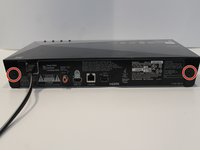
Turn to the back of the device.
-
Remove the two 7mm Phillips #2 screws.
-
Slide the two plastic covers on both sides of the device towards the back of the device to remove them.
-
-
-
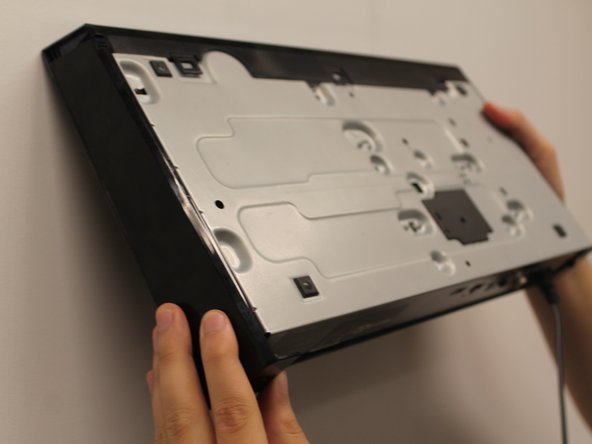
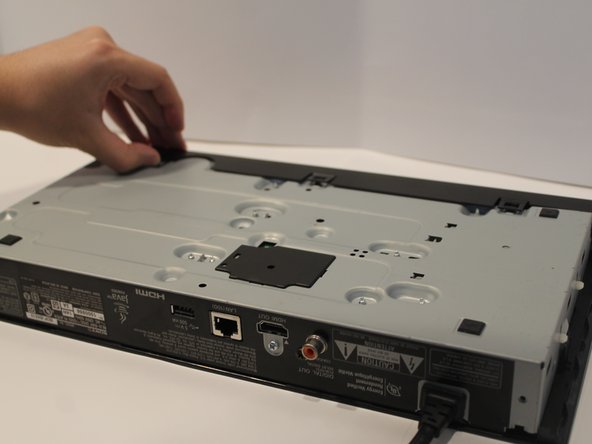
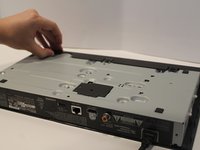
Turn the device so you can see the bottom.
-
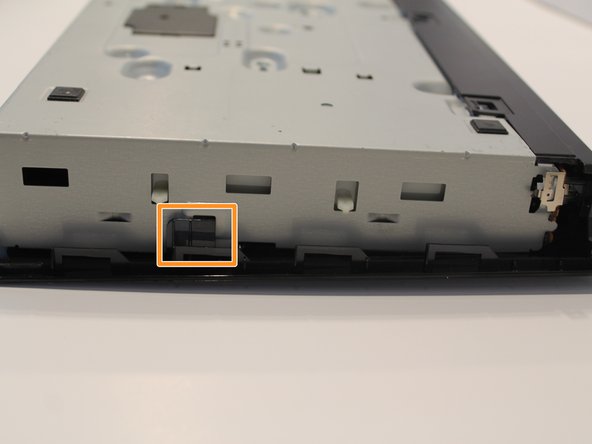
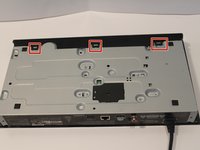
Unclip the three black plastic clips on the bottom of the device.
-
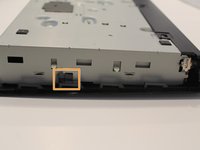
Unclip one clip on each side of the device.
-
-
-
-
Find the large ribbon cable that connects the port board to the motherboard.
-
Carefully pull directly upwards to disconnect the cable.
-
-
-
Using the Phillips #1 screwdriver, remove the 5mm screwdriver attached to the port board.
-
-
-
Unclip the metal piece on the lower right corner by gently lifting it up.
-
-
-
Pull the cable that attaches the Wi-Fi module to the motherboard.
-
-
-
Use a Phillips #1 screwdriver to remove the single 5mm screw that holds Wi-Fi module to the device.
-





To reassemble your device, follow these instructions in reverse order.

Equipe

York University, Team S1-G10, Woodhouse Winter 2020 Membro de York University, Team S1-G10, Woodhouse Winter 2020
YORK-WOODHOUSE-W20S1G10
2 Membros
Autoria de 6 guias
