Ir para o conteúdo principal
Participe da comunidade de reparos - Criar conta

Remington MB4040 Thermal Switch Replacement

O que você precisa

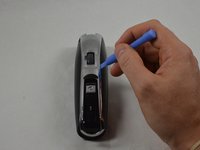
  1. Remington MB4040 Thermal Switch Replacement, Remove Blade Assembly: passo 1, imagem 1 %32 Remington MB4040 Thermal Switch Replacement, Remove Blade Assembly: passo 1, imagem 2 %32 Remington MB4040 Thermal Switch Replacement, Remove Blade Assembly: passo 1, imagem 3 %32
    • Press the black button below the blade to remove the blade.

    Pergunte ao FixBot

    Comentar

  2. Remington MB4040 Thermal Switch Replacement, Remove Back Cover Hardware: passo 2, imagem 1 %32 Remington MB4040 Thermal Switch Replacement, Remove Back Cover Hardware: passo 2, imagem 2 %32
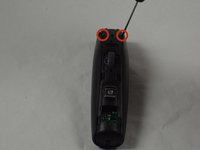
    • Place the device so the back of the product is facing up.

    • Remove the two 11.0 mm PH00 screws from the black plastic housing at the bottom of the device.

    Pergunte ao FixBot

    Comentar

  3. Remington MB4040 Thermal Switch Replacement, Remove Front Cover Hardware: passo 3, imagem 1 %32 Remington MB4040 Thermal Switch Replacement, Remove Front Cover Hardware: passo 3, imagem 2 %32 Remington MB4040 Thermal Switch Replacement, Remove Front Cover Hardware: passo 3, imagem 3 %32
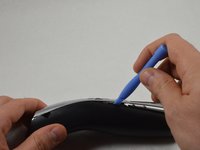
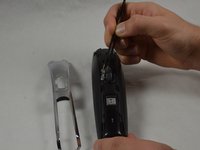
    • Remove the chrome plated plastic piece by using the plastic opening tool to pry it from the housing assembly.

    • Remove the small clear plastic piece that covers the zoom wheel numbers.

    Pergunte ao FixBot

    Comentar

  4. Remington MB4040 Thermal Switch Replacement, Front Cover (cont.): passo 4, imagem 1 %32 Remington MB4040 Thermal Switch Replacement, Front Cover (cont.): passo 4, imagem 2 %32
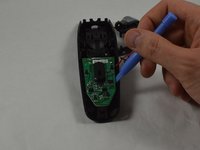
    • Remove the two 16.0 mm PH00 screws from the front cover.

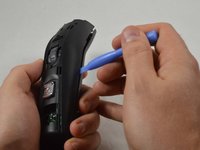
    • Use the blue plastic opening tool to pry apart the two halves of the device.

    Pergunte ao FixBot

    Comentar

  5. Remington MB4040 Thermal Switch Replacement, Blade Button Removal: passo 5, imagem 1 %32 Remington MB4040 Thermal Switch Replacement, Blade Button Removal: passo 5, imagem 2 %32
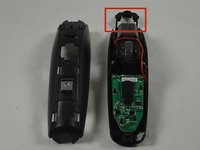
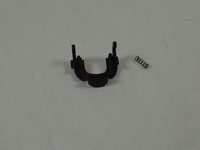
    • Remove the black blade button and the two 10.0 mm springs, which are sandwiched between the cover assembly halves.

    • The blade button is sandwiched between the halves and the two springs may fall out when the halves are separated.

    Pergunte ao FixBot

    Comentar

  6. Remington MB4040 Thermal Switch Replacement, Remove Motherboard: passo 6, imagem 1 %32 Remington MB4040 Thermal Switch Replacement, Remove Motherboard: passo 6, imagem 2 %32
    Pergunte ao FixBot

    Comentar

  7. Remington MB4040 Thermal Switch Replacement, Remove Thermal Switch: passo 7, imagem 1 %32
    • Separate the thermal switch from the battery by using a spudger to pry it from the adhesive.

    • Use a low temperature RTV to readhere the thermal switch to the battery.

    • Remove the soldering holding the thermal switch to the motherboard.

    Pergunte ao FixBot

    Comentar

Conclusão

To reassemble your device, follow these instructions in reverse order.

Cancelar: não concluí este guia.

3 outras pessoas executaram este guia.

Equipe

USF Tampa, Team 1-5, Blackwell Winter 2015 Membro de USF Tampa, Team 1-5, Blackwell Winter 2015

USFT-BLACKWELL-W15S1G5

3 Membros

Autoria de 14 guias

0Comentários do guia

Comentar

Visualizações:

Últimas 24 horas: 3

Últimos 7 dias: 7

Últimos 30 dias: 26

Ao todo: 3,339