Essa tradução foi gerada por um programa e ainda não foi revisada por uma pessoa. Falas essa língua? Dá uma olhada.
Introdução
Use este guia para substituir a bateria do seu MacBook Pro. A remoção da bateria requer uma chave de fenda Tri-point.
O que você precisa
-
-
-
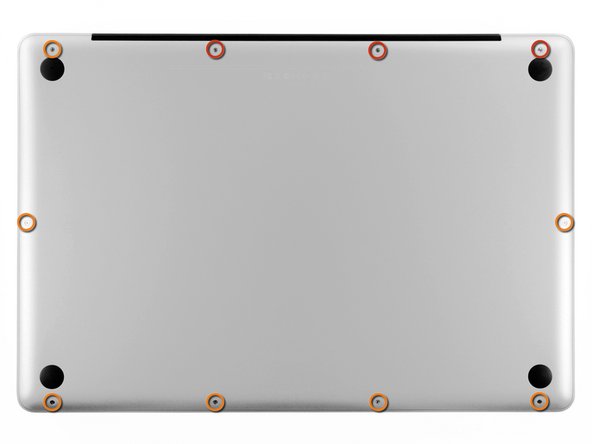
Remova os dez parafusos a seguir que prendem a carcaça inferior à carcaça superior:
-
Três parafusos Phillips de 13,5 mm.
-
Sete parafusos Phillips de 3 mm.
 Pergunte ao FixBot
-
-
-
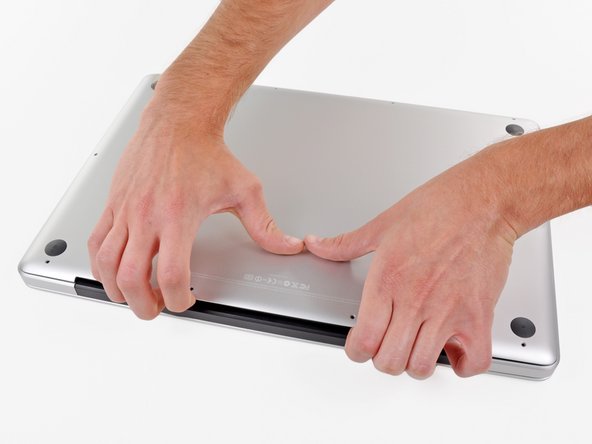
Encaixe os dedos entre a carcaça inferior e a ventilação e levante para liberar os dois clipes que prendem a carcaça inferior à superior.
-
Remova a carcaça inferior.
-
-
-
-
-
-
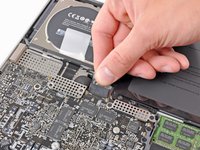
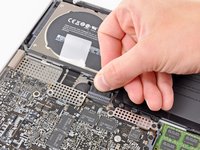
Segure a aba de plástico presa ao conector da bateria e puxe-a em direção à borda frontal do dispositivo.
-
-
-
Remova os três parafusos tri-point de 6,5 mm que prendem a bateria à carcaça superior.
-
-
-
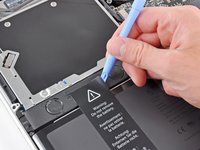
Use uma ferramenta de abertura de plástico ou outra ferramenta macia de borda fina para levantar cuidadosamente um canto da "etiqueta de advertência" do gabinete do alto-falante direito/subwoofer.
-
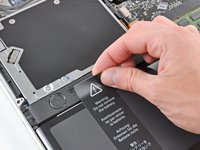
Descole a etiqueta de advertência do gabinete do alto-falante direito/subwoofer.
-
-
-
Levante a bateria pela sua aba de puxar e remova-a da carcaça superior.
-
Carregue-a até 100 % e continue carregando por pelo menos mais 2 horas. Em seguida, desconecte-a e use-a normalmente para descarregar a bateria. Quando vir o aviso de bateria fraca, salve o seu trabalho e mantenha o notebook ligado até que ele entre em repouso devido à bateria fraca. Aguarde pelo menos 5 horas e, depois, carregue o notebook ininterruptamente até 100 %.
-
Se notar qualquer comportamento incomum ou problemas após instalar a sua nova bateria, talvez seja necessário redefinir o SMC do seu MacBook.
-
-





Para a remontagem de seu dispositivo, siga estas instruções na ordem inversa.
Cancelar: não concluí este guia.
209 outras pessoas executaram este guia.

34Comentários do guia
There is a little rubber post under the battery, black with an orange inside guide. Where is that from?
Maybe good to know: as this type of MacBook Pro is already ageing, mine showed some bulging in the battery. As I don't use my MacBook Pro anymore as a real laptop, for me, it doesn't matter anymore to replace the battery. But for safety reasons, I removed the bulging battery, and the MacBook Pro is still running fine!
Hello, i've tryed to do it but without the battry my macbook didn't turned on... do you have any tip? Did you have to configure anything inside? My mac is a Macbook pro 17'' 6,1 mid 2010
@kirapereira, it should work. I took my bulging battery out and made no configuration changes. Just make sure you keep the MBP plugged into a working electrical outlet at all times and keep it plugged in while you are using it. If the magsafe connector gets dislodged for any reason the computer will shutdown immediately, no warnings or questions asked.
I just changed my A1297 model Late 2011 MacBook Pro 17" battery using a NewerTech battery kit (includes the two tools you need) that I sourced off OWC (OtherWorldComputing aka MacSales website) and using their installation video (while checking it against install guides on EverythingMac and the iFixit websites) The replacement went without a hitch and the battery is charging now The only thing I had to do was reset the clock after boot up I will report problems here, if any But if not, then Finito!
