Introdução
Is the audio for your headphones distorted or not working? You will have to replace it. This will require you to solder so please refer to this guide to do so.
O que você precisa
-
-
-
Use a Phillips #00 Screwdriver to unscrew the four 5mm screws.
 Pergunte ao FixBot
-
-
-
-
Remove the tape from the edges of the battery and the small piece on the motherboard.
-
-
-
Remove the two 5mm screws from the mother board.
-
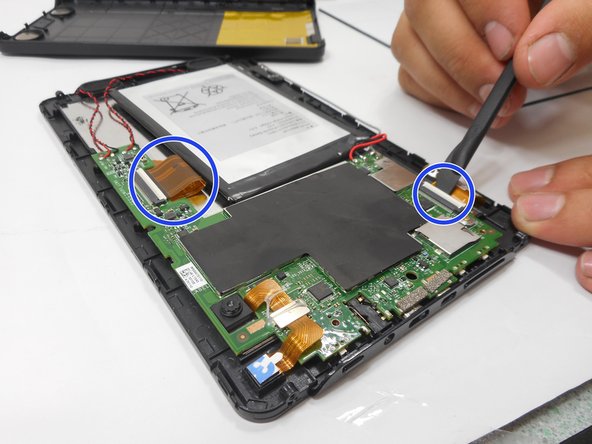
Remove the connectors by lifting the tabs and pulling gently.
-
-
-
Desolder the connections holding the audio jack. To do so, refer to this guide.
-
-


To reassemble your device, follow these instructions in reverse order.

Equipe

University of New Orleans, Team 3-7, McDonald Fall 2023 Membro de University of New Orleans, Team 3-7, McDonald Fall 2023
UNO-MCDONALD-F23S3G7
3 Membros
Autoria de 4 guias
