Essa tradução foi gerada por um programa e ainda não foi revisada por uma pessoa. Falas essa língua? Dá uma olhada.
Introdução
Este guia tem como objetivo ajudar a consertar botões que não estão funcionando corretamente.
O que você precisa
-
-
-
Certifique-se de que o dispositivo esteja desligado antes de começar a desmontar o alto-falante.
-
Remova o acabamento do alto-falante usando uma ferramenta de abertura (jimmy) ou uma espátula de metal.
 Pergunte ao FixBot
-
-
-
Use a chave (de fenda) PH1 para remover todos os cinco parafusos de 6 mm da tampa da bateria.
-
Remova a tampa da bateria e coloque-a de lado.
-
-
-
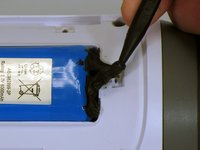
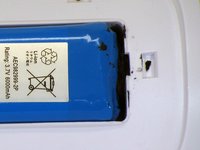
Use uma espátula para remover cuidadosamente a fita isolante líquida que prende a bateria dentro do compartimento da bateria.
-
-
-
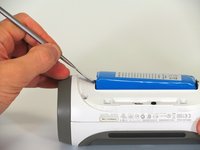
Use uma espátula para levantar a bateria para fora do dispositivo.
-
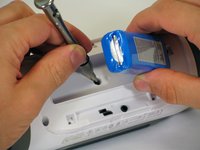
Levante a extremidade da bateria que não possui a conexão da fiação e remova o parafuso PH2 de 16 mm que se encontra abaixo da bateria.
-
-
-
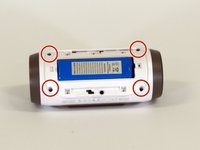
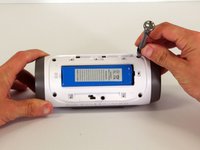
Remova os quatro parafusos de 16 mm da carcaça de plástico branca usando a chave (de fenda) PH2.
-
-
-
-
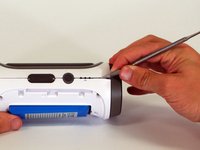
Começando em um canto do dispositivo onde a carcaça e a lateral se encontram, use uma espátula de metal pontiaguda para soltar a carcaça traseira do alto-falante e a cola que mantém a junção unida.
-
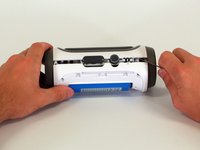
Deslize a espátula de metal ao longo da junção para separar a carcaça traseira do restante do alto-falante.
-
-
-
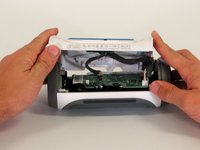
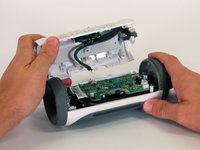
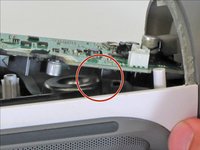
Com a carcaça traseira aberta, desconecte os três conectores brancos da placa-mãe.
-
Remova a carcaça superior.
-
-
-
-
-
Remova o parafuso Phillips de 9 mm no canto da placa-mãe.
-
-
-
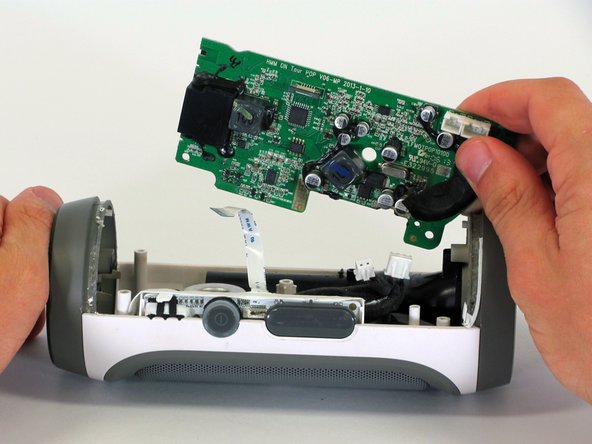
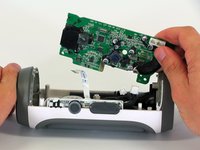
Remova a placa-mãe da carcaça levantando o canto da placa para fora do dispositivo.
-
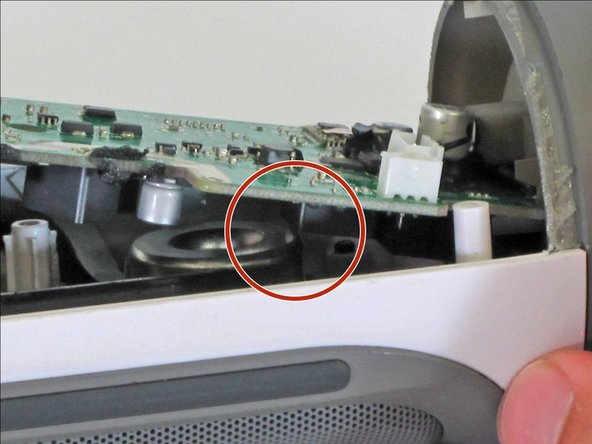
Se a placa-mãe não se mover, certifique-se de que o componente quadrado na parte inferior da placa-mãe passe pela borda do alto-falante.
-
-
-
Desconecte os dois conectores brancos da parte inferior da placa-mãe.
-
-
-
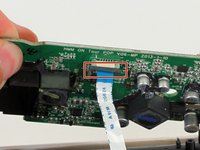
Puxe para baixo o clipe preto que prende o cabo plano no lugar.
-
Puxe o cabo plano do conector usando a aba azul.
-
Remova a placa-mãe do dispositivo.
-
-
-
-
-
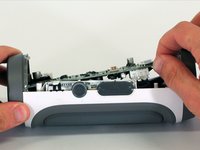
Localize os botões na parte superior do dispositivo. Descole a fita branca localizada ao longo da lateral desta membrana de botões.
-
-
-
Puxe suavemente a membrana do botão. Você não deve encontrar muita resistência.
-
-
















Para a remontagem de seu dispositivo, siga estas instruções na ordem inversa.
Cancelar: não concluí este guia.
4 outras pessoas executaram este guia.

Equipe

Cal Poly, Team 12-1, Lancaster Spring 2015 Membro de Cal Poly, Team 12-1, Lancaster Spring 2015
CPSU-LANCASTER-S15S12G1
5 Membros
Autoria de 96 guias
2Comentários do guia
conseguiste el boton de repuesto?
Por favor, disculpe mis errores:
"No puedo encontrar un nuevo reemplazo. Compra uno roto. Utilice el botón de la que se rompe."
