Introdução
Use this guide to open up and clean dust and debris out of the fan, grilles, or vents of a PlayStation 4.
If your console is loud, overheating, or underperforming, it may have built-up dust in the cooling fan, heatsink, or main vents.
If your PS4 lives in a TV cabinet with limited airflow, consider opening the door while gaming or moving it out to open air. If your PS4 is on the ground, it may suck in extra dust, dirt, or hair and limit its ability to keep cool.
Eventually, you may need to reapply thermal paste to keep temperatures under control for optimal performance. Read how to do that here.
To fully disassemble your console and remove the fan, follow this guide.
O que você precisa
-
-
Flip your PS4 upside-down with the back side facing towards you.
 Pergunte ao FixBot
-
-
-
Use a pair of tweezers to remove the sticker in the center of the back of the PS4, exposing the first screw.
-
Remove the two stickers at the outer edges, exposing two more screws.
-
-
-
Remove the three 7.2 mm-long TR8 Torx security screws on the back of the PS4.
-
-
-
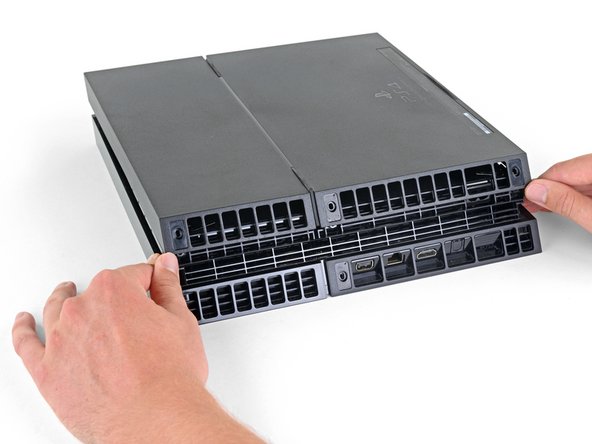
Use your thumbs to lift the lower case up and off the PS4.
-
-
-
Ferramenta utilizada neste passo:Small Needle Nose Pliers$6.99
-
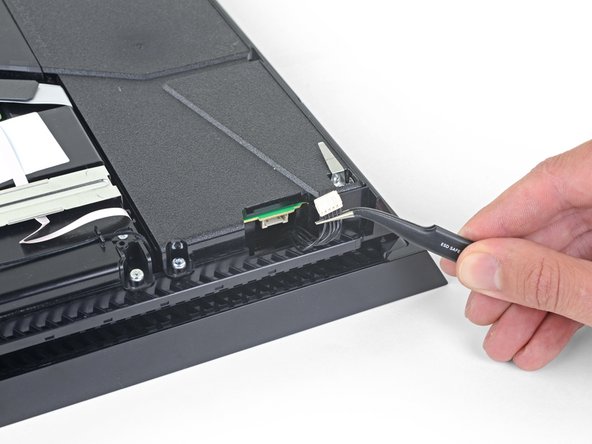
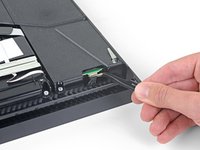
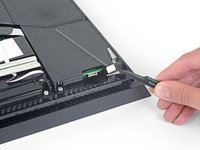
Use a pair of tweezers to pull the power supply cable straight out to disconnect the power supply unit from the motherboard.
-
Use your fingers to grab the white connector head, and wiggle or "walk" the connector out of its socket to disconnect it.
-
In extreme cases, you might need to use needle nose pliers to get a good grip on the connector.
-
-
-
Remove three 9.7 mm-long TR8 Torx security screws.
-
Remove two 41 mm-long Phillips screws and brackets.
-
-
Ferramenta utilizada neste passo:Dust Blower$19.99
-
Use a pair of tweezers to grab loose hairs and dust clumps off the fan.
-
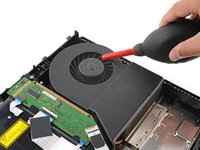
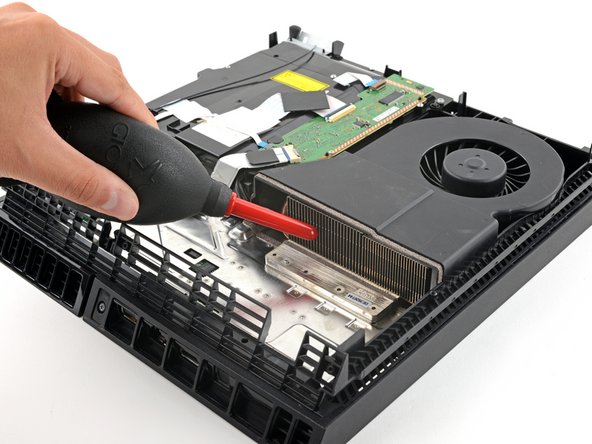
Use a small dust blower or light compressed air to blow remaining dust off the fan.
-
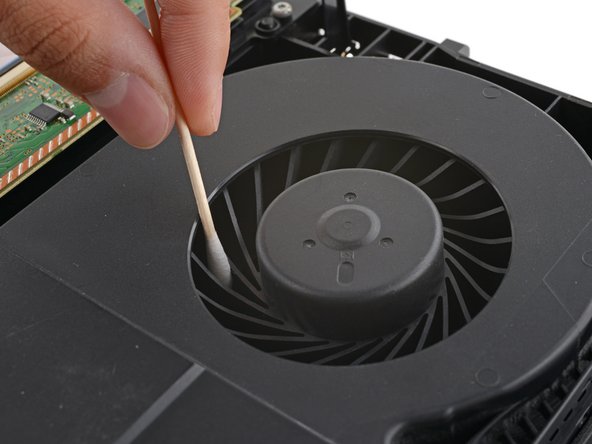
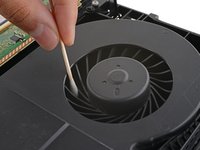
If there's a layer of grime on the fan blades, use soapy water or isopropyl alcohol on a cotton swab to wipe them off.
-
-
Ferramenta utilizada neste passo:Microfiber Cleaning Cloths$3.99
-
Use a clean rag or microfiber cloth to wipe the inside of the case clean.
-
-
Ferramenta utilizada neste passo:Anti-Static Brush$2.99
-
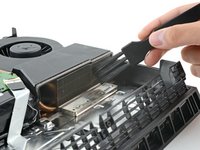
Using an anti-static brush or a new toothbrush, clean any dust out of hard-to-reach areas and off the rear vents.
-
Use a dust blower to blow any loose dust out of the console and a cloth to wipe the vents clean.
-
-
-
If you can see dust buildup in the heatsink, dislodge debris with a brush and use a dust blower to blow it clean.
-









To reassemble your device, follow these instructions in reverse order.
Disassembly or cleaning didn’t go as planned? Try some basic troubleshooting, or ask our PlayStation 4 Answers community for help.
Cancelar: não concluí este guia.
50 outras pessoas executaram este guia.


3Comentários do guia
Thanks for the help now my ps4 runs quetly you Are a plessing.🙂
eu limpei a minha e nao voltou a ligar, o que que eu faço
quem souber de algo ajude pfvr
