Introdução
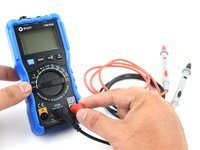
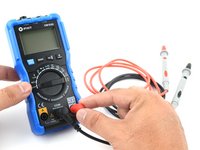
Every fixer should know their way around a multimeter, which has just north of a zillion uses for testing electronic components and circuits. Follow along to master the three most basic functions of a multimeter.
To learn how to use your multimeter to make advanced measurements such as current and capacitance, check out this guide.
O que você precisa
-
-
A continuity test tells us whether two things are electrically connected: if something is continuous, an electric current can flow freely from one end to the other.
-
If there's no continuity, it means there is a break somewhere in the circuit. This could indicate anything from a blown fuse or bad solder joint to an incorrectly wired circuit.
 Pergunte ao FixBot
-
-
-
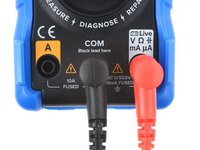
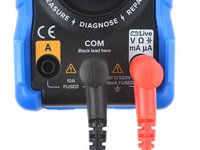
Plug the black probe into the COM port on your multimeter.
-
Plug the red probe into the port labeled with a V symbol (in this case, the right port).
-
-
-
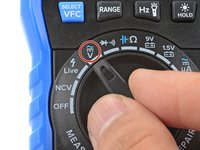
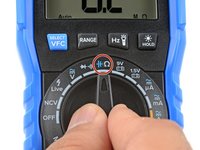
Switch on your multimeter, and set the dial to continuity mode (indicated by an icon that looks like a sound wave).
-
-
-
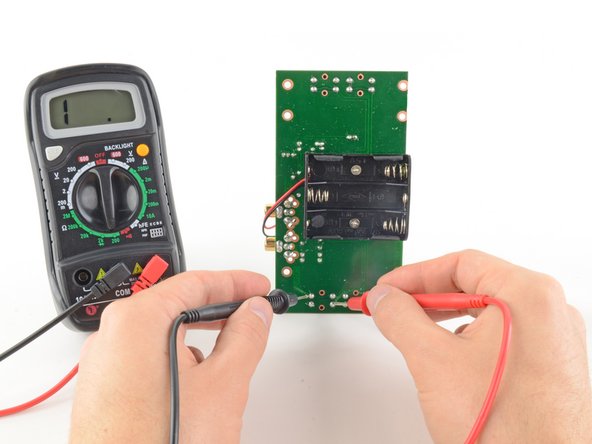
To complete your continuity test, place one probe at each end of the circuit or component you want to test.
-
To check for this, reverse what the probes are touching and check for continuity. If the multimeter shows continuity, then it's possibly a diode.
-
-
-
-
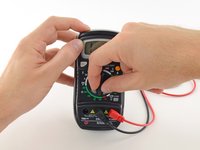
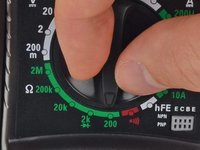
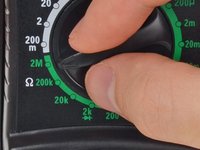
Turn the dial to the resistance mode.
-
If your multimeter has manual ranging, set the resistance to the lowest setting.
-
-
-
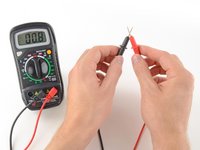
In this mode, the multimeter sends a little current through one probe, and measures what (if anything) is received by the other probe.
-
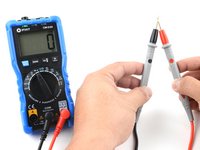
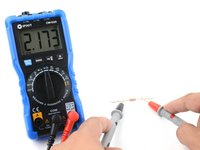
If the probes are connected—either by a continuous circuit, or by touching each other directly—the test current flows through. The screen displays a value of zero (or near zero—in this case, 0.8). Very low resistance is another way of saying that we have continuity.
-
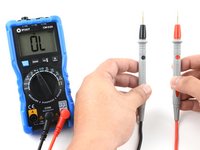
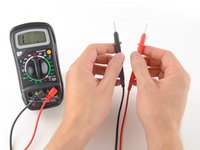
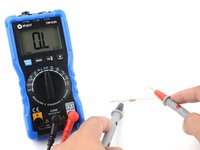
If no current is detected, it means there's no continuity. The screen will display 1 or OL (open loop).
-
-
-
To complete your continuity test, place one probe at each end of the circuit or component you want to test.
-
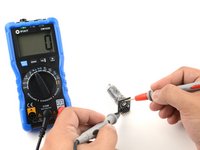
As before, if your circuit is continuous, the screen displays a value of zero (or near zero).
-
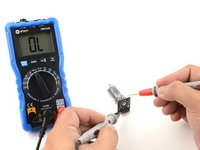
If the screen displays 1 or OL (open loop), there's no continuity—that is, there's no path for electric current to flow from one probe to the other.
-
-
-
Plug the black probe into the COM port on your multimeter.
-
Plug the red probe into the port labeled with a V symbol (in this case, the right port).
-
-
-
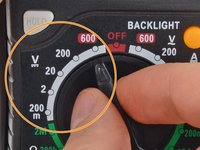
Switch on your multimeter, and set the dial to DC voltage mode (indicated by a V with a straight line, or the symbol ⎓).
-
Each setting on the dial lists the maximum voltage it can measure. So for example, if you expect to measure more than 2 volts but less than 20, use the 20 volt setting.
-
If you're not sure, start with the highest setting.
-
-
-
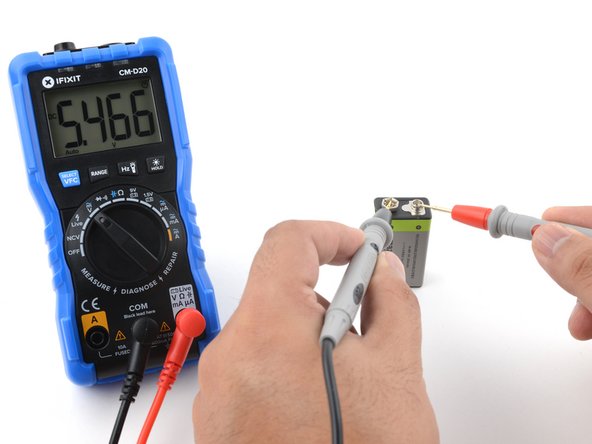
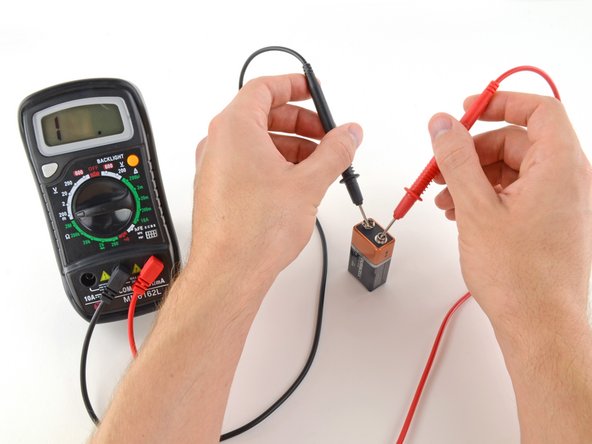
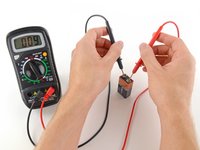
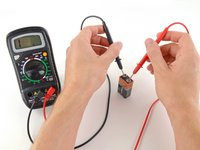
Place the red probe on the positive terminal, and the black probe on the negative terminal. The multimeter will display the measured voltage.
-
Skip the next step, which describes how to measure voltage using manual ranging multimeters.
-
-
-
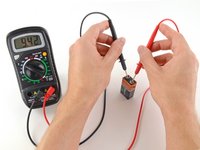
Place the red probe on the positive terminal, and the black probe on the negative terminal.
-
If your range was set too high, you may not get a very precise reading. Here the multimeter reads 9 volts. That's fine, but we can turn the dial to a lower range to get a more precise.
-
If you set the range too low, the multimeter simply reads 1 or OL, indicating that it is overloaded or out of range. This won't hurt the multimeter, but we need to set the dial to a higher range.
-
-
-
To begin, make sure no current is running through the circuit or component you want to measure. Switch it off, unplug it from the wall, and remove any batteries.
-
Plug the black probe into the COM port on your multimeter.
-
Plug the red probe into the port labeled with an Ω symbol (in this case, the right port).
-
-
-
Place one probe at each end of the circuit or component you want to measure.
-
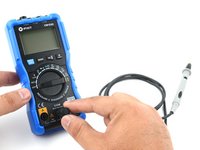
If your multimeter is manual ranging:
-
If your multimeter reads close to zero, the range is set too high for a good measurement. Turn the dial to a lower resistance range.
-
If you set the range too low, the multimeter simply reads 1 or OL, indicating that it is overloaded or out of range. This won't hurt the multimeter, but we need to set the dial to a higher range.
-






















Cancelar: não concluí este guia.
1142 outras pessoas executaram este guia.


149Comentários do guia
EASy and helpful indeed
Thank you! Never find instructions so easy to follow.
Iwant to know hw to test caperstas
Great stuff!! Thank you.
Super guide, many thanks for posting!
