Introdução
Is the screen on your laptop malfunctioning? Here are some possible problems with your screen. If you determine that the screen needs to be replaced, follow this replacement guide!
O que você precisa
-
-
Flip the laptop over.
-
Slide the lever with the battery symbol beside it firmly until the battery pops out.
-
Remove the battery from the laptop.
 Pergunte ao FixBot
-
-
Ferramenta utilizada neste passo:Tweezers$4.99
-
Orient the laptop keyboard-side up.
-
Use tweezers to remove the adhesive covers for the screws.
-
-
-
-
Remove the four 3mm screws with a Phillips #0 screwdriver near the corners of the screen to remove the display.
-
-
-
Gently lower the screen and lay it face down on the keyboard.
-
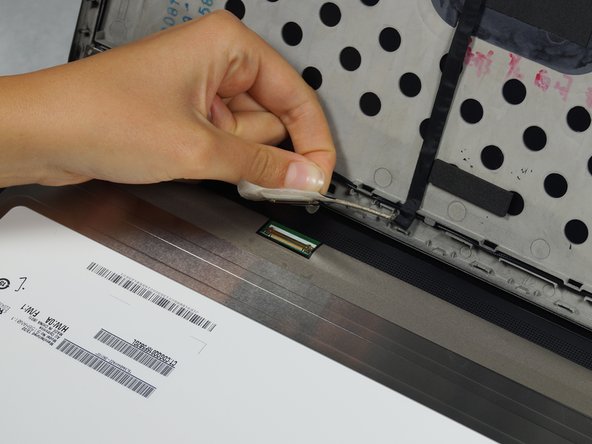
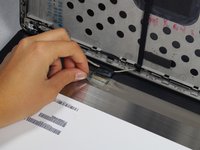
Lift the corners of the tape closest to the top of the screen and peel toward the center carefully.
-
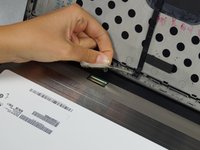
Slowly pull the tape away from the sides.
-
Lift the tape and disconnect the screen connector.
-






To reassemble your device, follow these instructions in reverse order.
Cancelar: não concluí este guia.
9 outras pessoas executaram este guia.

Equipe

Cal Poly, Team 8-43, Amido Winter 2015 Membro de Cal Poly, Team 8-43, Amido Winter 2015
CPSU-AMIDO-W15S8G43
4 Membros
Autoria de 19 guias
3Comentários do guia
Worked great! Only caution that I would add is that on one of the machines I took apart, the adhesive strip behind the bottom of the bezel stuck to the bezel and not the circuit board behind. I had to carefully slide my finger between the adhesive strip and the bezel to separate them. Once the bezel was removed, I was able to stick the adhesive back down. I think this laptop may have been exposed to some sort of liquid, so this may not be a common issue.
My ZBook 15u g5 does not have any adhesive covers around the screen. How do I replace?
Hello can i replace my hd screen with another fhd one?
