Essa tradução foi gerada por um programa e ainda não foi revisada por uma pessoa. Falas essa língua? Dá uma olhada.
Introdução
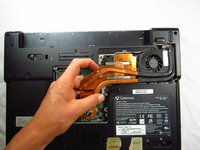
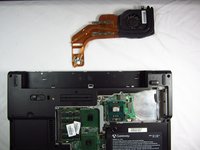
O conjunto de refrigeração é composto por um fan de refrigeração e uma peça grande de cobre para ajudar a dissipar o calor pela parte inferior do seu laptop. Com o tempo, o fan pode se desgastar e precisará ser substituído.
O que você precisa
-
-
-
Afrouxe os sete parafusos Phillips #0 de 6 mm na parte de trás da carcaça.
 Pergunte ao FixBot
-
-
-
Puxe a parte superior da capa traseira para cima para removê-la.
-
-
-
-
Remova os quatro parafusos Phillips #0 de 9 mm do conjunto de refrigeração.
-
-
-
Vire o conjunto do fan de refrigeração de cabeça para baixo com cuidado sobre a superfície do computador.
-
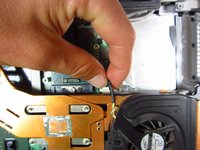
Segure a fiação presa ao computador com cuidado e puxe-a para longe da porta.
-
-
-
Ao reinstalar o dissipador de calor e as ventoinhas, limpe a pasta térmica antiga tanto do dissipador quanto da CPU e, em seguida, aplique pasta térmica nova na CPU.
-
-



Para a remontagem de seu dispositivo, siga estas instruções na ordem inversa.
Cancelar: não concluí este guia.
2 outras pessoas executaram este guia.

Equipe

Cal Poly, Team 6-2, Forte Spring 2014 Membro de Cal Poly, Team 6-2, Forte Spring 2014
CPSU-FORTE-S14S6G2
5 Membros
Autoria de 132 guias
