Introdução
If your Dyson V8 Animal’s battery fails to charge or turn the vacuum on, use this guide to replace the battery. The battery is used to power the vacuum. A broken or worn-out battery may fail to turn the vacuum on or charge.
Before using this guide check that your battery does not just need to be charged and refer to The Devices LED Flashes troubleshooting page for more information on troubleshooting your battery.
No special skills are required for this guide.
Before beginning, make sure to turn off the vacuum and disconnect it from any external power source.
O que você precisa
-
-
-
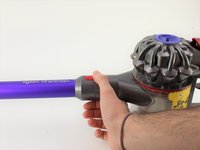
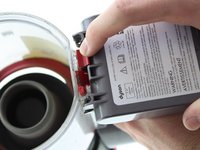
Pull up on the red tab and continue to slide the motor completely up.
-
-
-
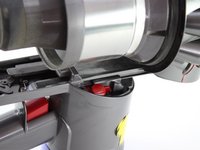
Push the red tab down.
-
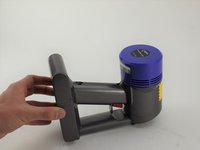
Pull the dust bin out from the handle head.
-
-
-
-
-
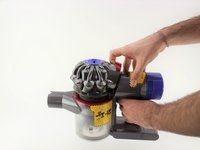
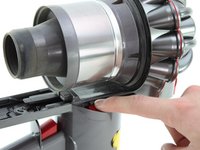
Push down on the red tab on the other side.
-
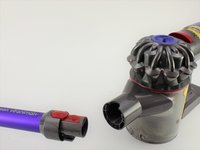
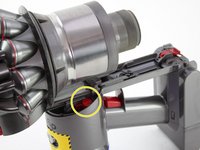
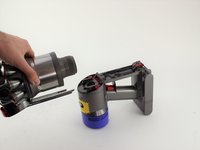
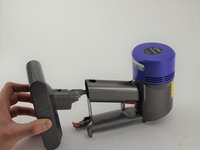
Pull the motor away from the handle.
-
-
-
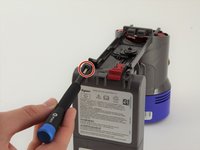
Use a Phillips #0 screwdriver to remove two 18 mm screws on the bottom of the battery.
-
-
-
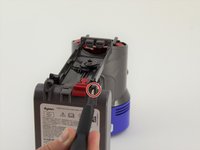
Use a Phillips #0 screwdriver to remove one 18 mm screw on the back of the handle.
-


 Pergunte ao FixBot




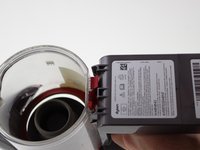








To reassemble your device, follow these instructions in reverse order.
Cancelar: não concluí este guia.
20 outras pessoas executaram este guia.

Equipe

Cal Poly, Team S19-G1, White Winter 2020 Membro de Cal Poly, Team S19-G1, White Winter 2020
CPSU-WHITE-W20S19G1
4 Membros
Autoria de 18 guias
9Comentários do guia
Replacement Vacuum Cleaner Batteries for Dyson V8 Animal
Battery Type: Li-ion
Voltage: 21.6V
Capacity: 4000mAh
Color: Grey
Weight: 770.26g
Dimensions: 145.00 x 90.10 x 115.90mm
If you intereted in this battery, please view more info on http://www.drillbattery.com.au/orderbatt...
Thankyou! I'll be able to replace the battery soon.
This worked for the V7 Animal model just fine. Very easy and clear, thank you!
Thank you. These instructions just helped me to replace the worn out battery on our V8 Animal in 5 minutes! Now it's humming along again with 3 blue bars. Great! (Note: I was concerned I might strip the screw head but I just pressed harder while turning and the screwdriver did not slip. Then I saw that the replacement battery came with four new replacement screws. So, it's all good.)
I have a stripped screw that won't extract. I have already drilled the hole ho so now no screwdriver will work. Any suggestions?
