Ir para o conteúdo principal
Participe da comunidade de reparos - Criar conta

Dell Streak 7 Battery Replacement

O que você precisa

    1. Dell Streak 7 Battery Replacement, Front Panel Assembly: passo 1, imagem 1 %32
      • Insert the spudger under the capacitive button panel, and slide the spudger all the way around.

      • You will want to heat up the screen edges with the iOpener to help facilitate removal.

      Pergunte ao FixBot

      Comentar

    2. Dell Streak 7 Battery Replacement: passo 2, imagem 1 %32
      • Remove the button cover by lifting the cover away from the tablet.

      Pergunte ao FixBot

      Comentar

    3. Dell Streak 7 Battery Replacement: passo 3, imagem 1 %32
      • Using the Torx screwdriver, remove the 4mm screws.

      Pergunte ao FixBot

      Comentar

    4. Dell Streak 7 Battery Replacement: passo 4, imagem 1 %32
      • With the Torx screwdriver, remove the two 5mm screws.

      Pergunte ao FixBot

      Comentar

    5. Dell Streak 7 Battery Replacement: passo 5, imagem 1 %32 Dell Streak 7 Battery Replacement: passo 5, imagem 2 %32
      • Using the spudger, insert it under the black side panel. Slide the spudger all the way around until the cover piece comes off.

      • With the Torx screwdriver, remove the two 4mm screws.

      Pergunte ao FixBot

      Comentar

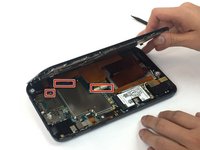
    6. Dell Streak 7 Battery Replacement: passo 6, imagem 1 %32
      • Use the spudger to go along the edges of the device and pop out the latches securing the display to the case.

      Pergunte ao FixBot

      Comentar

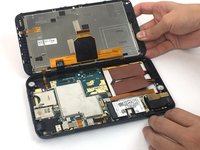
    7. Dell Streak 7 Battery Replacement: passo 7, imagem 1 %32 Dell Streak 7 Battery Replacement: passo 7, imagem 2 %32
      • Ribbon cables are very sensitive and prone to breaking

      • Disconnect the ribbon cables by unlocking the connector and pulling the cable out slowly.

      • Make sure all the cables are unplugged before opening the device completely. Failure to do so might lead to broken or torn cables.

      Pergunte ao FixBot

      Comentar

    1. Dell Streak 7 Battery Replacement, Headphone Jack: passo 8, imagem 1 %32
      • Using the spudger, disconnect the ribbon cable by lifting up on the connector.

      • Ribbon cables are fragile and easily broken.

      Pergunte ao FixBot

      Comentar

    2. Dell Streak 7 Battery Replacement: passo 9, imagem 1 %32 Dell Streak 7 Battery Replacement: passo 9, imagem 2 %32
      • Pull the headphone jack up, away from the case.

      Pergunte ao FixBot

      Comentar

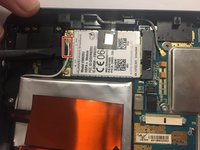
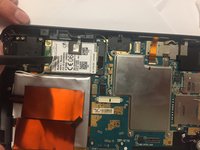
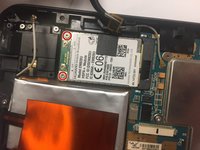
    1. Dell Streak 7 Battery Replacement, GSM Module: passo 10, imagem 1 %32 Dell Streak 7 Battery Replacement, GSM Module: passo 10, imagem 2 %32
      • With the spudger, disconnect the antenna cable located on the module.

      Pergunte ao FixBot

      Comentar

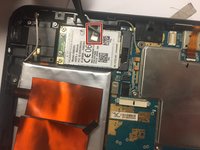
    2. Dell Streak 7 Battery Replacement: passo 11, imagem 1 %32 Dell Streak 7 Battery Replacement: passo 11, imagem 2 %32
      Ferramenta utilizada neste passo:
      Tweezers
      $4.99
      • Using tweezers, remove the tape connected to the GSM module.

      Pergunte ao FixBot

      Comentar

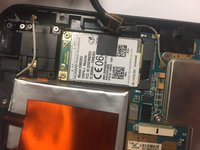
    3. Dell Streak 7 Battery Replacement: passo 12, imagem 1 %32 Dell Streak 7 Battery Replacement: passo 12, imagem 2 %32
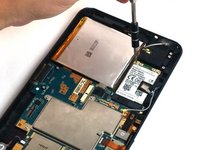
      • Remove the two 3mm screws securing the GSM module. Use the Torx screwdriver.

      Pergunte ao FixBot

      Comentar

    4. Dell Streak 7 Battery Replacement: passo 13, imagem 1 %32
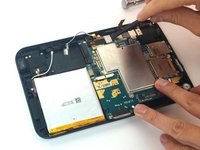
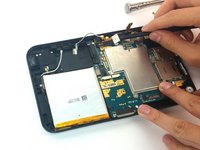
      • Disconnect the GSM module by lifting the module up, out of the case.

      Pergunte ao FixBot

      Comentar

    1. Dell Streak 7 Battery Replacement, Motherboard: passo 14, imagem 1 %32 Dell Streak 7 Battery Replacement, Motherboard: passo 14, imagem 2 %32 Dell Streak 7 Battery Replacement, Motherboard: passo 14, imagem 3 %32
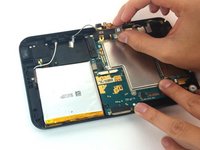
      • Using the spudger, disconnect the front camera by lifting up on the connector.

      Pergunte ao FixBot

      Comentar

    2. Dell Streak 7 Battery Replacement: passo 15, imagem 1 %32
      • Using the Torx screwdriver, remove the six 3mm screws .

      Pergunte ao FixBot

      Comentar

    3. Dell Streak 7 Battery Replacement: passo 16, imagem 1 %32 Dell Streak 7 Battery Replacement: passo 16, imagem 2 %32
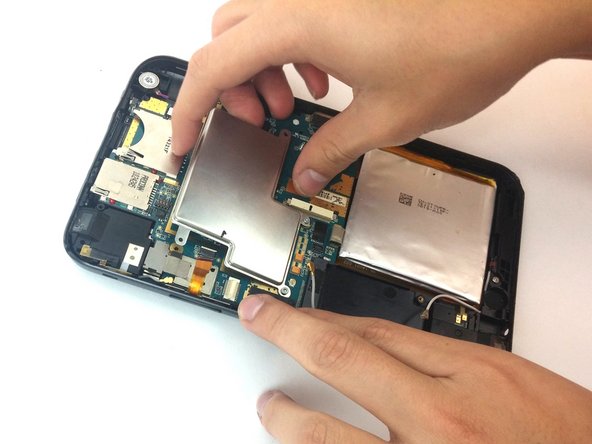
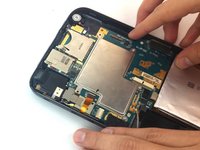
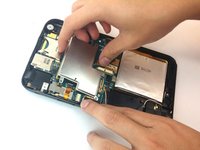
      • Lift up the metal cover.

      Pergunte ao FixBot

      Comentar

    4. Dell Streak 7 Battery Replacement: passo 17, imagem 1 %32
      • Use the spudger to lift the vibration motor out of the case.

      Pergunte ao FixBot

      Comentar

    5. Dell Streak 7 Battery Replacement: passo 18, imagem 1 %32
      • Pull out the motherboard and the battery.

      Pergunte ao FixBot

      Comentar

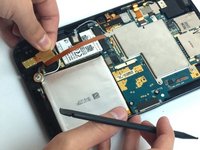
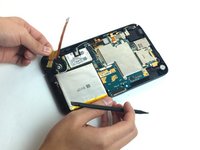
    1. Dell Streak 7 Battery Replacement, Battery: passo 19, imagem 1 %32 Dell Streak 7 Battery Replacement, Battery: passo 19, imagem 2 %32
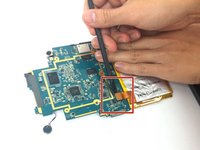
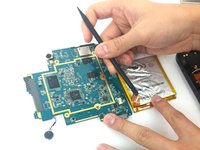
      • Use the spudger to lift up and detach the cable connecting the battery to the motherboard.

      Pergunte ao FixBot

      Comentar

Conclusão

To reassemble your device, follow these instructions in reverse order.

Cancelar: não concluí este guia.

4 outras pessoas executaram este guia.

Equipe

USF Tampa, Team 4-6, Passmore Fall 2016 Membro de USF Tampa, Team 4-6, Passmore Fall 2016

USFT-PASSMORE-F16S4G6

3 Membros

Autoria de 12 guias

0Comentários do guia

Comentar

Visualizações:

Últimas 24 horas: 3

Últimos 7 dias: 7

Últimos 30 dias: 28

Ao todo: 1,536