Essa tradução foi gerada por um programa e ainda não foi revisada por uma pessoa. Falas essa língua? Dá uma olhada.
Introdução
Para concluir este guia, você precisará desmontar o seu dispositivo e usar um ferro de solda para trocar a bateria.
Certifique-se de desligar o dispositivo antes de começar a desmontá-lo. Não fazer isso pode causar danos.
O que você precisa
-
-
-
Use a Ferramenta de abertura para empurrar o cartão microSD para fora do slot de cartão microSD.
 Pergunte ao FixBot
-
-
-
Use a Ferramenta de abertura de plástico para desencaixar a frente de plástico da parte traseira de plástico. Use o slot do MicroSD para começar a desencaixar.
-
-
-
-
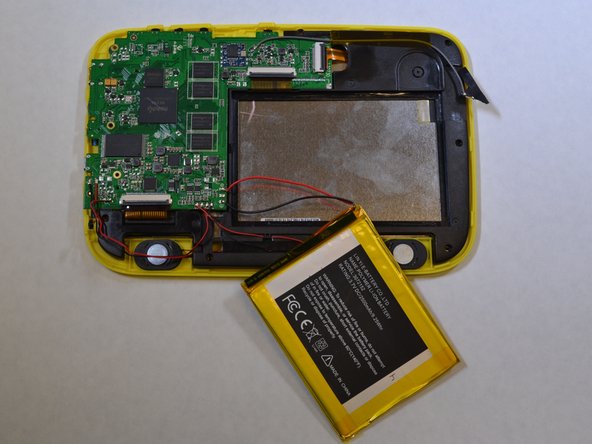
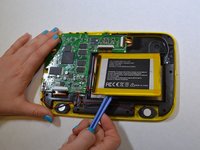
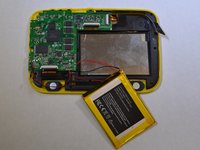
A bateria está colada na peça de plástico preta. Use a Ferramenta de abertura para soltar a bateria do plástico preto.
-
-
-
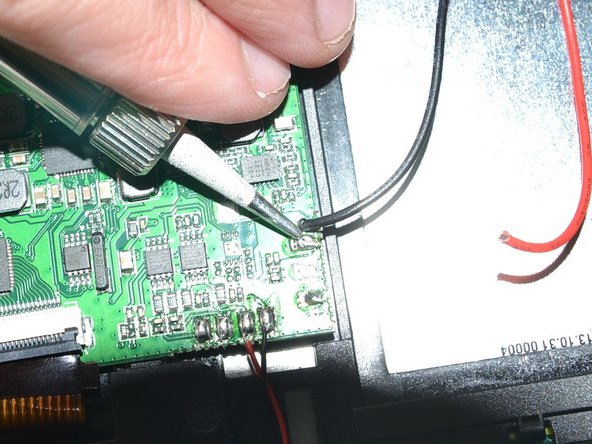
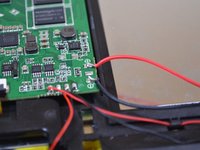
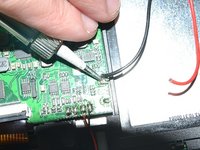
Use um ferro de solda para dessoldar os fios vermelho e preto conectados à bateria da placa lógica.
-
Dicas sobre como soldar podem ser encontradas aqui.
-
-



Para a remontagem de seu dispositivo, siga estas instruções na ordem inversa.
Cancelar: não concluí este guia.
Uma outra pessoa concluiu este guia.


