Introdução
If your Alcatel 1B 2020's screen is unresponsive or cracked, it may be time to replace the screen. Symptoms such as a frozen or lagging screen may be the cause of a faulty or damaged screen. A replacement may be necessary if general troubleshooting has not resolved the issue.
Because this repair involves prying the screen, be careful not to shatter the glass. If the screen or digitizer is already cracked, refer to this guide before starting the repair.
If your Alcatel 1B 2020 has a swollen battery after opening the phone, handle it carefully, as it poses a fire hazard.
Following these steps in this guide will help you successfully replace your Alcatel 1B 2020's screen.
O que você precisa
-
-
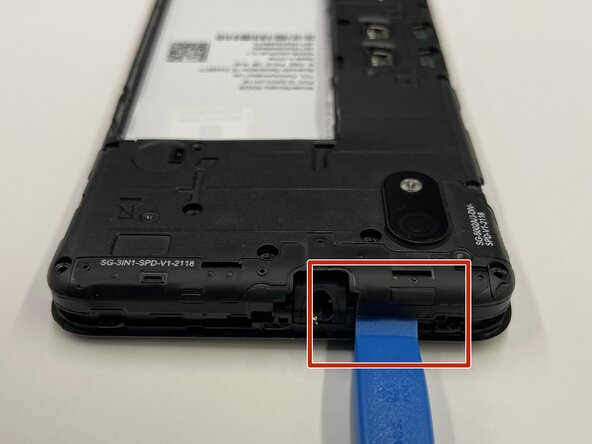
Insert the opening tool into the seam between the back plastic case and the front screen.
-
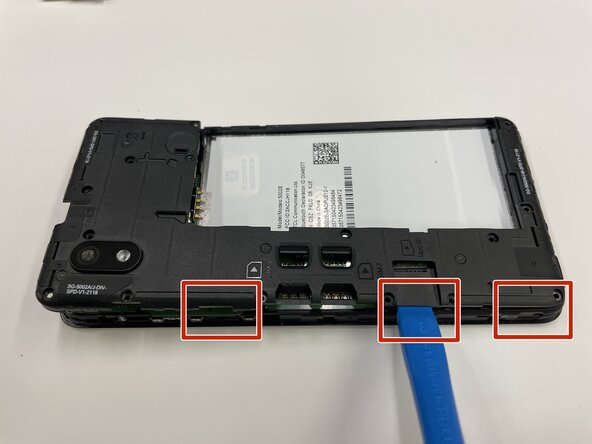
Slide it around the edge of the phone to release the clips holding them together.
-
Remove the bottom case by hand.
 Pergunte ao FixBot
-
-
-
Place the pry tool between the bottom of the battery and the bracket.
-
Lift the battery using the pry tool to remove it.
-
-
-
Use a Phillips #000 screwdriver to remove sixteen 3.0 mm screws that secure the black plastic bracket.
-
-
-
Use a plastic opening tool to pry the midframe from the bottom case.
-
Slide the end of the opening tool around the perimeter of the device to release the clips holding the midframe and bottom case together.
-
Remove the midframe from the phone.
-
-
-
-
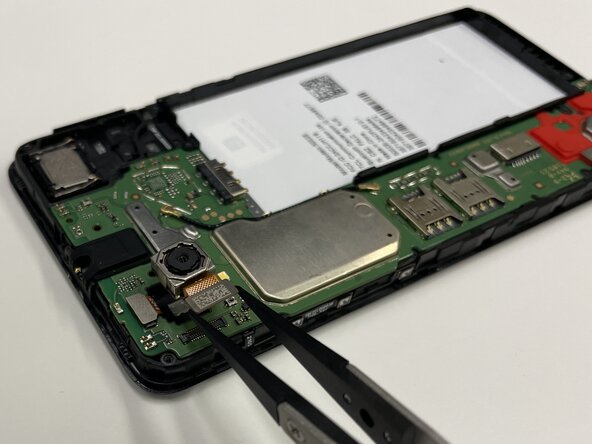
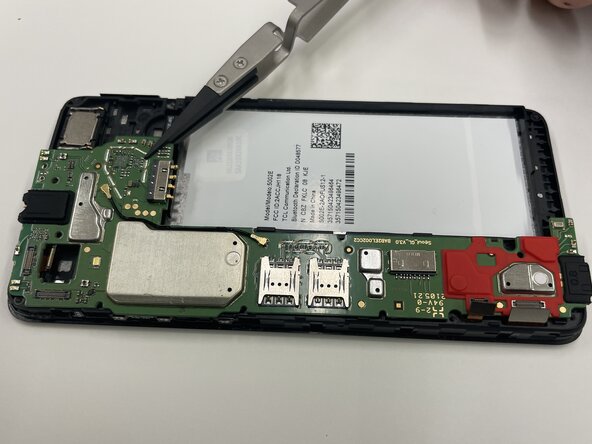
Place a spudger or an opening tool under the camera press connector edge and pry straight up to disconnect it.
-
Use the tweezers to pull the rear camera out.
-
-
-
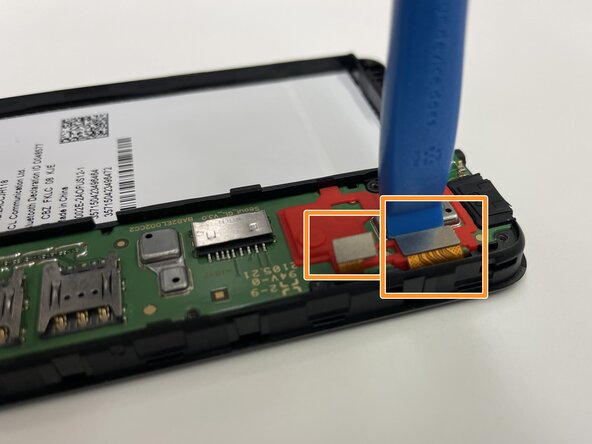
Insert a spudger or opening tool under the edge of the front camera cable connector and pry straight up to disconnect it.
-
Disconnect the other two press connectors near the red part of the motherboard.
-
-
-
Place the motherboard to the side.
-
Use tweezers to pull the front-facing camera from the smartphone.
-
-
-
Flip your Alcatel 1B 2020 face up so the screen is facing you.
-
Slide the edge of the Jimmy between the case and the screen to pry it from the phone.
-
Insert opening picks under the screen as you work around the edge with the Jimmy to keep the adhesive from reattaching.
-
-
-
Flip the device over.
-
Place a spudger or an opening tool under the edge of the press connector and pry straight up to disconnect it.
-
Carefully slide the ribbon cable out from the opening at the edge of the frame.
-
-
-
Flip the device back over.
-
Slide the Jimmy between the LCD and the digitizer to separate the two components.
-
Lift the LCD screen out with tweezers or your hands.
-












To reassemble your device, follow these instructions in reverse order. Take your e-waste to an R2 or e-Stewards certified recycler.

Equipe

Purdue University Northwest, Team 7-2, Dieterle Spring 2026 Membro de Purdue University Northwest, Team 7-2, Dieterle Spring 2026
PNW-DIETERLE-S26S7G2
3 Membros
Autoria de 5 guias
