
Ir para o conteúdo principal
Participe da comunidade de reparos - Criar conta

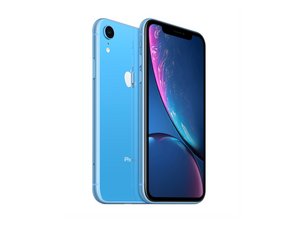
Lançado em 26 de outubro de 2018. Modelos A1984, A2105, A2106, A2108. Disponível como GSM ou CDMA / eSIM, nano-SIM ou SIM dual / 64, 128 ou 256 GB / Preto, Branco, Azul, Amarelo, Coral ou Vermelho. (Pronuncia-se "iPhone 10 R.")

iPhone XR microphone issue

Good afternoon. I sent my XR away to have the lower microphone fixed. From what I understand it’s the same part as the charging dock. my reason for sending it for repair was that people couldn’t hear my on cellular calls. But occasionally they could. It arrived back from the repair shop. But I still have the same problem even with a new part fitted. The lower microphone does work on sound recording and Whats app and messager calls. It also works on front and rear video footage. Would anyone know what the issue is please. Thanks

Responder a esta pergunta Também tenho esse problema

Esta é uma boa pergunta?

Pontuação 0
Adicionar um comentário

1 resposta

Enabling Microphone Access

To adjust microphone settings for a specific app: [1]

  1. Open the Settings app on your iPhone.
  2. Scroll down and tap Privacy & Security.
  3. Tap Microphone.
  4. A list of apps that have requested access will appear. Toggle the switch to ON (green) for the apps you want to allow. [1, 2]

Alternatively, you can scroll down to the app list at the very bottom of your main Settings page, select the specific app (e.g., WhatsApp), and toggle its Microphone permission on

Esta resposta foi útil?

Pontuação 0
Adicionar um comentário

Adicionar a sua resposta

Leigh Scott será eternamente grato(a).
Visualizações:

Últimas 24 horas: 0

Últimos 7 dias: 12

Últimos 30 dias: 12

Ao todo: 11