
 3
3 No output on external display
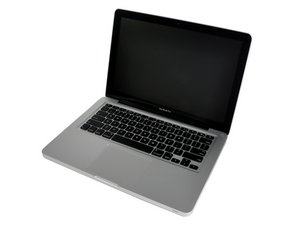
Hello all, I have a Late 2011 Unibody MacBook Pro with the Intel Core i7 and 16 gigabytes of RAM. I want to connect another display externally so I can have a dual screen setup and/or use it for presentations, but I noticed that the Mini DisplayPort/Thunderbolt port doesn't seem to work correctly.
Things I have tried:
Tried multiple adapters
(two of the same Mini DisplayPort to HDMI adapters, and Mini DisplayPort to HDMI cable)
Tried macOS 10.13 High Sierra (I run the catalina patch along with the OpenCore Legacy EFI loader)
Tried macOS 11 Monterey
Tried macOS 14 Sonoma
Tried just removing the hard drive and have it display the blinking folder with question mark icon
Tried Windows 10
Tried the Display Menu application on all MacOS versions except Monterey (macOS 11)
SMC Reset
PRAM/NVRAM reset
Those two things when re-installing macOS 10.13 High Sierra.
Clean out the mini DisplayPort/Thunderbolt port, and dongles.
Observations:
macOS (all versions) detects and recognises the monitors, as in the screen flickers and recognises the brand and supported modes (within adapter limits)
Same goes to the pre-boot environment
Windows does not see the external display even after manual detection. Sometimes after reboot the integrated graphics in Windows is disabled due to a problem, re-enabling it brings back proper graphics but external monitor output is still not working or being detected.
All the adapters I've bought show the MacBook Air, not the MacBook Pro, although I've seen a review of someone using it on a 2012 Unibody MacBook Pro
A while back I had a different MacBook Pro model, still 2011 but the Early 2011 one, with the Core i5 instead of the Core i7. I was given a mini DisplayPort to VGA adapter and same symptoms, macOS and preboot environment sees it, but no display out. I was told by the person that gave the adapter to me that they use it on their 2015 MacBook Air just fine with no problems.
Is there like a common fault or difference with these Unibody MacBook Pros with how they handle that specific port and why it seems to be temperamental with cheap adapters? I haven't tried the adapters I've had since other than specific Lenovo ThinkPad laptops and MacBook Airs, I haven't had the opportunity to try them.
I want to try one of the more expensive adapters but I don't want to spend money on something that is not guaranteed to work.
Let me know if there's anything I could do.
Esta é uma boa pergunta?

 347
347  977
977 