Ir para o conteúdo principal
Participe da comunidade de reparos - Criar conta

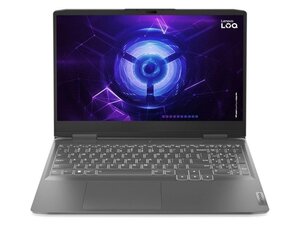
Lenovo LOQ 15IAX9 with Intel i5-12450HX, up to RTX 4060 GPU, 15.6″ FHD 144 Hz display, up to 32 GB DDR5, PCIe Gen4 SSD, 60 Wh battery, and full I/O including HDMI 2.1 and USB-C.

How do I reset BIOS.

When i was downloading GPU Drivers, it said that something went wrong. So i got to BIOS settings and turned GPU from Hybrid to Discrete. My screen went black, never turned on again, fans are spinning, keyboard lights up, just black screen. Tried resetting CMOS battery, tried disconnecting main battery too and also tried hard reset, nothing worked. Can y'all help me? Thanks.

Responder a esta pergunta Também tenho esse problema

Esta é uma boa pergunta?

Pontuação 1
Adicionar um comentário

1 resposta

Turn off the laptop, then turn it on and repeatedly press F2 (or Fn+F2) to enter the BIOS menu. Navigate to the Exit tab, select Load Setup Defaults, confirm with Yes, then select Save & Exit. Hope it works!

Esta resposta foi útil?

Pontuação 0
Adicionar um comentário

Adicionar a sua resposta

Giorgi Abramishvili será eternamente grato(a).
Visualizações:

Últimas 24 horas: 7

Últimos 7 dias: 17

Últimos 30 dias: 17

Ao todo: 17