Ir para o conteúdo principal
Participe da comunidade de reparos - Criar conta

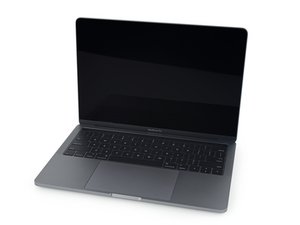
A1706 / EMC 3071—Released in November 2016, this 13" Macbook Pro introduces the OLED Touch Bar. Features a dual-core "Skylake" Intel Core i5 CPU and four Thunderbolt 3 ports.

Touch ID flex cable separated from button during battery replacement

I was following the battery replacement guide for this Macbook and the flex cable slid out of the Touch ID / power button contact. The end of the cable doesn't look damaged but I can't tell if it's possible to reconnect it. I tried gently pushing the end of the cable back into the slot and it sort of stays there, but obviously if the cable snapped internally or something that won't work.

I know I can order a full replacement button as a last resort but I'd like to repair this and preserve the Touch ID functionality if at all possible. Any help would be appreciated, even if it's just solemn confirmation that I'm SOL. :)

Block Image
Respondido! Ver a resposta Também tenho esse problema

Esta é uma boa pergunta?

Pontuação 0
Adicionar um comentário

1 resposta

Solução escolhida

Unfortunately, that cable isn't supposed to be separate; it's definitely broken. There are people who can repair broken flex cables, but it requires very specialized expertise, and I have no idea whether the button can be disassembled far enough to access the other half of that broken cable.

LIkewise, there are folks out there who may be able to remove a chip and move it to another button with a good flex cable, but again, that's a niche set of skills that may be hard to find.

In general, the only way to restore Touch ID is to have Apple do the repair, sorry to say. I checked Apple's self service repair portal, and the oldest 13" MacBook Pro that's supported is the M1 model, so that's not an option for you.

Wish I had better news, but Apple has deliberately made it impossible for anyone but them to restore either Touch ID or Face ID. Obviously you'll need a power button, but it looks like you're going to have to figure on living without Touch ID.

Esta resposta foi útil?

Pontuação 2

1 comentário:

Thank you Jerry! Not the answer I wanted to hear but it's the one I expected. I checked out some videos of people doing this kind of niche microscopic repair and they have some space-age workbench setups, so that's a no-go for me; it looks like I'll have to settle for a shiny new functional power button with no Touch ID, but at least it's a way forward. Thank you again!

por

Adicionar um comentário

Adicionar a sua resposta

Mitchell T será eternamente grato(a).
Visualizações:

Últimas 24 horas: 0

Últimos 7 dias: 4

Últimos 30 dias: 52

Ao todo: 52