
Ir para o conteúdo principal
Participe da comunidade de reparos - Criar conta

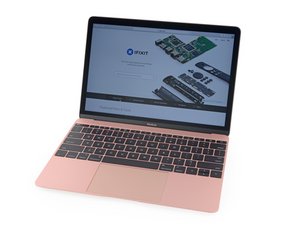
Versão atualizada do MacBook Retina de 2016. Modelo A1534, EMC 3099. Agora equipado com processadores Kaby Lake mais rápidos, até Core i7 de 1,4 GHz com Turbo Boost de até 3,6 GHz e SSD até 50 % mais rápido, além de suportar até o dobro da memória.

removing back cover to replace battery

My Macbook air only has 8 screws - all of the videos show 10 screws.

I have removed all of the screws and go to remove the back and it does not lift off so nice and easy - looks like there is a catch about halfway on both right and left side. Do I force it open?

Update (01/22/26)

Okay - so first of all it was not a Macbook Air - it was a Macbook. I took a picture of the writing on the back and was able to zoom in and find the model and EMC number.

Once you get the screws out there are 2 clips - one on each side that are a bit stubborn...but you get them unclipped and you got it.

I also had the wrong battery....so wait for now

Thanks for the feedback

Pat

Responder a esta pergunta Também tenho esse problema

Esta é uma boa pergunta?

Pontuação 0
Adicionar um comentário

1 resposta

Pergunta mais útil

Hello, can you double check the model of MacBook that you have? Some of the older models pre 2020 have 10 screws. Try to find a model number/year if you can.

Esta resposta foi útil?

Pontuação 1
Adicionar um comentário

Adicionar a sua resposta

Pbmacsodak será eternamente grato(a).
Visualizações:

Últimas 24 horas: 1

Últimos 7 dias: 4

Últimos 30 dias: 19

Ao todo: 158