Ir para o conteúdo principal

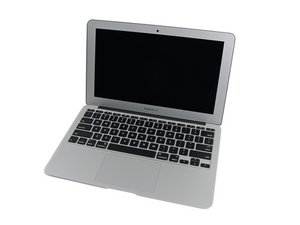
The March 2015 update of Apple's 11" MacBook Air features fifth generation Intel Core i5 and i7 processors, resulting in slightly increased performance and battery life.

Backlight gone; cannot find backlight IC chip

I've a A1465 macbook air, and it's a custom board. This has introduced some head-scratching when the backlight suddenly stopped working. No drops or spills. I looked at all of the online resources I could find, like board schematics, and none of them were able to provide the location of the backlight chip, or the fuses etc. Might you please highlight where the IC chip is, and its part number, so I can replace it. Same for the fuse. Any further advice would be appreciated!

Edit (05/01/2026):

The board is not custom, and is 820-3435-B. Voltage to the backlight fuse is 6.8V.

Below are photos of the region around the display cable, and nearby chips, and further photos of the overall board.

Block Image
Block Image
Block Image
Block Image
Block Image
Block Image
Block Image
Block Image
Block Image
Block Image
Responder a esta pergunta Também tenho esse problema

Esta é uma boa pergunta?

Pontuação 1
6 comentários

Picture 1 above the connector is a fuse (orange) with a 'P' in it, I believe this is the BL fuse....

por

@livfe

Thanks for that! I'll check the conductivity of it this evening. My question is, if that is the source, and it's blown, what is the actual fuse as I'll need to get a replacement one. Do you know what the fuse is called?

por

@livfe

It seems that the fuse is fine. I checked the resistance and it's 0.04 ohms.

Must be the backlight chip. I thought it would be as there was no reason for the fuse to blow. But thanks! Any suggestions?

por

@falcon16 I have encountered this a few times before and for me was always this fuse. Calling@danj @oldturkey03 they may have another idea.

por

Exibir mais 1 comentário

Adicionar um comentário

2 respostas

Pergunta mais útil

Backlight driver is this one right here.

Block Image

It's a Texas Instruments LP8550 backlight driver. But I would check for shorts on anything that comes out of that chip

The fuse is the one here with the P on it. Although in my experience, the fuse is generally not the issue. It's more likely to be a bad capacitor, or the backlight driver itself if the board is the issue (rather than the display or the cable).

Block Image

Esta resposta foi útil?

Pontuação 4

1 comentário:

@flannelist

Thanks! I'll keep that in mind in case it does turn out to be the backlight IC. I tested the conductivity of the fuse, and it's all right.

When I look up "LP8550", chips come up, all right, but they have different writing on them. Is there a particular identifier I need or are they all the same, and if so, why are they labelled differently?

Thanks again!

por

Adicionar um comentário

@falcon16 I would not worry to much about measuring resistance on the fuse but measure for continuity, and most importantly measure for any voltage. You know, multimeter in VDC mode (somewhere in the 30V range) Black probe to ground and red probe to the contacts of the fuse. What makes this "it's a custom board"? What is the 820-xxxx number on your board? Also, check the voltage on L7701 That is one of those inductors that likes to fail :-) That is the grey square looking component that has the numbers 150 408 printed on it.

That voltage itself will give you a pretty good idea about what is going on with your backlight. If the backlight is ~45V or more that means there is no load on the backlight circuit. That may be because of the screen or the display cable/connector. If the backlight voltage is 25V-40V then the boost circuit is working and the no backlight issue could again be a connector, cable, and LCD issue. If the backlight is PPBus voltage your boost circuit isn't working. Check the feedback trace, LCD driver, and make sure that your backlight enable gets power. Finally, if the backlight voltage is 0V, check for a short by working your way back to the PPBUS_S0_LCDBKLT circuit

Update (01/04/26)

@falcon16 one of the important part of why we like to have pictures of the complete boards and well focused. It'll help identifying things. Here is an example of where to find the 820-xxxx board number

Block Image
Block Image
Block Image

Esta resposta foi útil?

Pontuação 3

6 comentários:

Where would I find the board number? I was just told by the seller on eBay that it was a custom job by Apple. Where is the inductor; I cannot see it in any of the pictures? Might they be one of the ones covered in glue?

Also, when testing the voltage, where is the PPBUS pin and how can I work along it?

Cheers!

por

@oldturkey03 I found the board number by happy chance! It's a 820-3435-B!

The voltage on the fuse was 5-6v.

por

@falcon16 yup, standard board for this MBA. Double check the voltage (VDC) The voltage is definitely not high enough to get your backlight to work. It should show somewhere in the 12VDC to 12.6VDC range on the fuse

por

@falcon16 PPBUS is not a pin but a circuit. You'd be looking for the PPBUS_G3H which provides the voltage to the backlight circuitry.

por

@oldturkey03

Danke sehr! I checked the voltages on both, and it reads a stable 6.8v for both. Sorry about the photos but there is only so much I can do with a phone; I tried my best.

Sooooooooo what might be the issue here? New IC chip?

por

Exibir mais 1 comentário

Adicionar um comentário

Adicionar a sua resposta

Falcon 16 será eternamente grato(a).
Visualizações:

Últimas 24 horas: 33

Últimos 7 dias: 67

Últimos 30 dias: 67

Ao todo: 67