
Ir para o conteúdo principal
Participe da comunidade de reparos - Criar conta

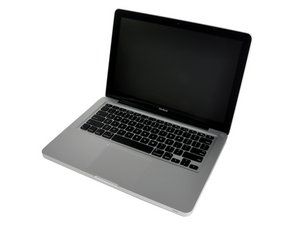
13" aluminum unibody, 2.0 or 2.4 GHz Core 2 Duo processor.

Damaged Mag Safe adapter/cable

The MagSafe connector has been damaged and i can no longer charge my 13" MBPro. Is it possible to repair it or get one for a cheap price cause thelaptop is old and i guess i dont want to spend much money on a brand new Apple part. What do u think?

Block Image
Respondido! Ver a resposta Também tenho esse problema

Esta é uma boa pergunta?

Pontuação 0
1 comentário

Thanks, i just used some strong glue and glued the part back on and till now it all works fine ;-)

por

Adicionar um comentário

2 respostas

Solução escolhida

I've replaced a dozen cords on these things and haven't had any trouble with aftermarket replacement cables.

I use a pair of snap ring pliers; open the cord winding wings and use the pliers to pry the halves apart in the recess for the wings (the whole thing is glued together). Use a screwdriver to go around the rest of the charger, opening it fully. Be sure to note how the cord wings go on; there'll also be a flat metal spring that will come out and need to be put back in place when you reassemble.

You'll have to do a small bit of soldering; be sure to solder the white and black wires in the correct positions. Seat the connector joint in the cutout then fit the halves together along with the cord wings. Do this first before adding glue so you know everything will go back together. Pop the top back off, apply a small bead of glue all around the edges and stick it back down. You might add some rubber bands or weight to hold it all together until the glue dries.

Esta resposta foi útil?

Pontuação 3

1 comentário:

You've been lucky!

por

Adicionar um comentário

There are many ways to fix chargers, YT will have many videos on how to do it just have to do a search "Magsafe L-Tip charger repair".

TBH You might as well look on say eBay or any alternative site that covers your location for a 'new' or a 'used; one, they shouldn't cost that much anymore Just make sure that it is the correct one for your model of MB as 11" & 13" MB Airs & 13" & 15" Pro models all had different wattage. You need a 60W L-Tip for a 13" MB Pro A1278. Going by the pictures it seems the 'cover' has fallen off, (This video I think covers how to put it back together at least), But if your saying that it didn't charge the laptop anymore then just go for a replacement charger. they are not hard to find.

Esta resposta foi útil?

Pontuação 1

7 comentários:

Just replace the charger, the MagSafe cord has a small chip to ID the charger which the computer needs to see. If you use the wrong cord you can damage things!

por

@danj How is it possible to use the wrong cord when there are only 2 types L-Tip & T-Tip which will not work on units they are not designed for? This makes noi sense at all to me.

por

@livfe - As I explained the plug (LED) has an ID chip within it to notify the computer (SMC) what the charger's wattage is. I'll need to dig out the info I have on it. Using the wrong cord can mess you up! This has nothing to do with the tips type straight or L.

Here's the write up Teardown and exploration of Apple's Magsafe connector

por

@danj Ahh, gotcha (Don't use say a 45 or 85W cord on a 60W charger I think you are pointing to this, good point). So, if you order a replacement charger (correct voltage L-Tip 60W in this case), then they should all be compatible for A1278 models no? Many people use a higher wattage charger thinking it will charge faster, and or say the system will 'power down' to the correct voltage (Seen this before in some comments on here). Personally I stick to what is meant to be for any particular model). I don't think the person in question is going to go to the lengths of replacing just a cable, hence I recommended just obtaining a 'new' charger for his model.

por

@danj Thinking about this, I have replaced cables before and likely from 'different wattage' chargers..... something I will have to check up on from that link (Understanding the charger's ID code), I am sure many others have made this 'same mistake'. Thanks for pointing this out, I will spread the word on this to our repair technician :). I think I will go about making a 'chart' of which cable are for/from which adapters for future reference.

por

Exibir mais 2 comentários

Adicionar um comentário

Adicionar a sua resposta

genik será eternamente grato(a).
Visualizações:

Últimas 24 horas: 0

Últimos 7 dias: 1

Últimos 30 dias: 67

Ao todo: 67