Guias de reparo
Aprenda a consertar praticamente qualquer objeto com nossos guias passo a passo.
Aplicativo
Seu ajudante de reparo de bolso.
FixBot
O amigável assistente de reparo com IA.
Reparabilidade
Saiba porque a reparabilidade de produtos é tão importante.
Teardowns
Dê uma espiada no interior dos mais novos dispositivos.
Fórum de Respostas
Compartilhe soluções e obtenha ajuda de um amigo.
Encontre sua comunidade
Encontre equipes, eventos e colegas fixadores.
Ajuda
Ajude a tornar o conhecimento sobre reparos gratuito e acessível a todos.
Right to Repair
Saiba mais sobre o movimento Direito ao reparo e como ser um defensor.
Em destaque
Peças e ferramentas de qualidade cobertas por nossa garantia vitalícia.
Ferramentas
Conheça a grande variedade de ferramentas de precisão.
Peças
Adquira peças cobertas por nossa garantia de qualidade.
Baterias para iPhone
Baterias testadas e garantidas, além de um kit com tudo o que você precisa.
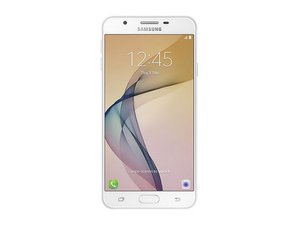
Lançado em setembro de 2016. Identificado pelo nº do modelo SM-G610
J7 prime @j7prime41875
Rep: 1
Postado: 1 de set de 2025
My phone does not detecting SIM
Esta é uma boa pergunta?
1 comentário:
Basic troubleshooting for a Samsung Galaxy J7 Prime not detecting SIM:
1. Test the SIM card in another phone – if it works there, the issue is with your phone.
2. Clean the SIM card and tray – use a dry cloth or a cotton swab with isopropyl alcohol.
3. Restart the phone – sometimes the SIM is detected only after reboot.
4. Check SIM settings – go to Settings → Connections → SIM card manager.
5. Try another SIM card – to rule out a faulty SIM.
6. Software – update the phone, or perform a factory reset (back up data first).
7. Hardware – if none of the above works, the SIM reader may be worn out or defective. Fixing it requires replacing the SIM slot or motherboard.
1 de set de 2025 por Markus Norstrøm
Últimas 24 horas: 0
Últimos 7 dias: 2
Últimos 30 dias: 13
Ao todo: 133


Basic troubleshooting for a Samsung Galaxy J7 Prime not detecting SIM:
1. Test the SIM card in another phone – if it works there, the issue is with your phone.
2. Clean the SIM card and tray – use a dry cloth or a cotton swab with isopropyl alcohol.
3. Restart the phone – sometimes the SIM is detected only after reboot.
4. Check SIM settings – go to Settings → Connections → SIM card manager.
5. Try another SIM card – to rule out a faulty SIM.
6. Software – update the phone, or perform a factory reset (back up data first).
7. Hardware – if none of the above works, the SIM reader may be worn out or defective. Fixing it requires replacing the SIM slot or motherboard.
por Markus Norstrøm