Ir para o conteúdo principal
Participe da comunidade de reparos - Criar conta

Released In December 2022. A Laptop equipped with a Intel Core I5 11400H And A GTX 1660, RTX 2080 or A RTX 3050 TI Also Equipped with 512 GB Of storage, 16 GB Of DDR4 Replacable Ram And has a 2nd M.2 NVMe slot, A 144 Hz 1080p screen, RGB Keyboard and 2 HQ Speakers With DTS.

Ethernet doesn´t work

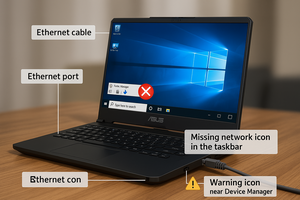
I Plug my ethernet cable to laptop and it doesnt show the ethernet icon, so it doesnt work

Responder a esta pergunta Também tenho esse problema

Esta é uma boa pergunta?

Pontuação 0

1 comentário:

Hi! What does device manager tells you on the laptop? Any question or exclamation marks? Is the ethernet driver up to date? Did you tried a new re-install?

por

Adicionar um comentário

1 resposta

=== ***Quick Troubleshooting Steps

Block Image
  • ===
  • Check Ethernet Cable & Port:
    • Test the cable on another device.
    • Inspect laptop port for dust or bent pins.
  • Update/Reinstall Network Drivers:
    • Go to Device Manager → Network Adapters.
    • If you see Realtek Ethernet Controller, right-click → Update Driver.
    • If missing, go to Asus support site and install latest LAN driver for your model.
  • Enable Ethernet Adapter:
    • Control Panel → Network & Sharing → Change Adapter Settings.
    • Right-click Ethernet → Enable (if disabled).
  • Check BIOS Settings:
    • Restart and enter BIOS (usually F2 or DEL).
    • Ensure LAN Controller is enabled.
  • Try Different Port or Router:
    • Rule out router issues by connecting to another port or router.
  • Hardware Fault (if all fails):
    • If Ethernet still doesn’t work, the port might be physically damaged—consider using a USB to Ethernet adapter as a workaround.

Esta resposta foi útil?

Pontuação 0
Adicionar um comentário

Adicionar a sua resposta

Gaming Brothers será eternamente grato(a).
Visualizações:

Últimas 24 horas: 0

Últimos 7 dias: 2

Últimos 30 dias: 16

Ao todo: 299