
Ir para o conteúdo principal
Participe da comunidade de reparos - Criar conta

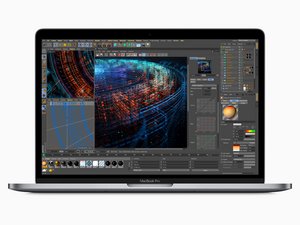
Released in July 2018, the 15" MacBook Pro, model A1990, features a 15.4 inch LED-Backlight display with True Tone technology, TouchID, and up to 6 Core i9 Processor.

Battery changed - still shows Service Recommended

I changed the battery and got the computer all put back together. It charges and seems to hold a charge longer . When I first powered on the Mac Pro - for a short time the Service recommended notice went away but is now back. I tried resetting the SMC but does not seem to have changed anything. I loaded Coconut battery and still shows the original battery information.

Block Image

Could there be an issue with the Battery Board Data Cable if it isn't seated properly ? Wanted to ask for some advice before taking the computer apart again

Responder a esta pergunta Também tenho esse problema

Esta é uma boa pergunta?

Pontuação 1
3 comentários

Did you install a new battery or an already used one?

por

A new battery from iFixit.

por

@livfe that was my doing since it worked for the OP, it is a great answer that will potentially help many others. I did change it back

por

Adicionar um comentário

2 respostas

Pergunta mais útil

Let's see if a hard SMC reset fixes this. Carefully disconnect the batteries connection, leave the Battery data cable connected. Now press the power button and hold it for a good 15 sec's this drains the charge within the logic board. Now plug in the MagSafe to power the system I haven't tried this yet on a M Series system so I'm sure what will be the reaction. Intel system tend to spontaneously restart. Give it a chance, then disconnect the MagSafe charger and reconnect the battery and restart the system did that alter CoconutBattery give it a good minute to recache the values.

Esta resposta foi útil?

Pontuação 1

12 comentários:

Thanks! I'll give it a shot and report back

por

Open finder, preferences, select to show your macbook (Under iCloud), user name / library / com.apple.power (3 files) - delete them, empty trash, restart.....

por

I disconnected the battery and pressed the power button for quite a while (more than 30 seconds). When I plugged the charger in - it stayed dead. No sign of life after waiting a bit. I disconnected the charger, connected the battery and had some trouble getting it to turn on. I needed to plug the charger back in and then it restarted. Unfortunately CoconutBattery still thinks it is the old battery and still recommends service for the battery.

por

@laurenf48722 Did you try this? Open finder, finder preferences, select to show your macbook (Under iCloud), user name / library / com.apple.power.plist (3 files) - delete them, empty trash, restart..... (com.apple.powerlogd / com.apple.PowerManagement / com.apple.PowerManagement*)

por

@laurenf48722 - See if deleting the files Livfe pointed to fixes things.

por

Exibir mais 7 comentários

Adicionar um comentário

I'm in this position now, replacement went great, but it's still showing as "service recommended". I've deleted the power profiles in /Library/Preferences and after a reboot it's still showing the same message. I'm on a Macbook Pro A2338 M2, running Tahoe.

Esta resposta foi útil?

Pontuação 0
Adicionar um comentário

Adicionar a sua resposta

Lauren F será eternamente grato(a).
Visualizações:

Últimas 24 horas: 1

Últimos 7 dias: 27

Últimos 30 dias: 146

Ao todo: 708

