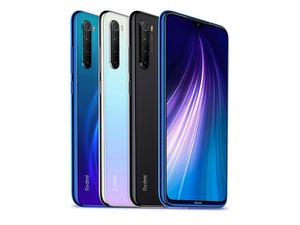

🛠️ Repair Guide: Xiaomi Redmi Note 8 Outgoing Call Issues
If you have already reset the device and updated the software without success, the problem is likely related to network settings, the SIM card, or internal hardware. Follow these steps in order.
Phase 1: Network & SIM Troubleshooting
- Check SIM Card Status: Remove the SIM tray and ensure the card is clean and seated correctly. Try the SIM card in another phone to see if the issue is with the card itself.
- Reset Network Settings: Go to Settings > Connection & sharing > Reset Wi-Fi, mobile networks, and Bluetooth. Tap Reset settings at the bottom.
- Disable VoLTE: Sometimes VoLTE causes connectivity issues. Go to Settings > SIM cards & mobile networks, select your SIM, and toggle Use VoLTE off to test.
- Set Preferred Network Type: In SIM settings, change the "Preferred network type" to 3G or 2G temporarily to see if the phone can make calls on a lower frequency.
Phase 2: Hardware Inspection
If network resets do not work, an internal component may be loose or damaged.
Tools Required: Phillips #00 Screwdriver, Plastic Spudger, Heat Gun/Hair Dryer, Suction Cup.
- Remove Back Cover: Apply heat to the edges of the back glass to soften the adhesive. Use a suction cup and thin plastic tool to carefully pry the back cover off.
- Inspect the Antenna Cable: Locate the thin white or black coaxial cable running along the side of the battery. Ensure both ends are firmly snapped into their connectors on the motherboard and the sub-board.
- Check the Signal Interconnect Board: Ensure the ribbon cable connecting the bottom charging port board (which often houses the antenna contacts) to the main motherboard is secure.
- Inspect for Water Damage: Look for red or pink circular stickers inside the phone. If they are colored, moisture may have corroded the signal IC.
Phase 3: Final Checks
- IMEI Verification: Dial *#06# on your keypad. If the IMEI numbers do not appear or show as "null," the baseband firmware is corrupted, which usually requires professional flashing or a motherboard replacement.
- Microphone Check: Ensure the "Call Ended" message isn't happening because the phone fails to detect the microphone. Test the microphone in the "Recorder" app.
⚠️ Warning: Opening your device will void any remaining warranty and compromises the factory seal. Proceed with caution when prying the back glass to avoid cracking it.
Would you like me to find a specific diagram of where the antenna cable is located on the Redmi N
ote 8 motherboard?
My phone only works when the charging cable is connected. If I remove the charging pin, the phone switches off
por umesh77 rana