Ir para o conteúdo principal
Participe da comunidade de reparos - Criar conta

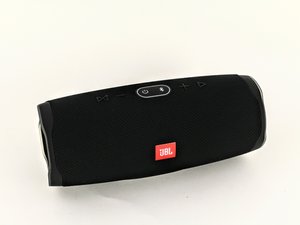
O JBL Charge 4 é uma caixa de som à prova d'água com Bluetooth que também funciona como carregador portátil para smartphones. Ele pode ser identificado pelo número do modelo: CHARGE4S.

Why is my speaker turning off

I press the power on button on my charge 4, it connects to my phone, then about 10 seconds later it shuts off by itself. I’ve charged it multiple times, factory reset it and it’s still doing the same thing. It just shuts off after about 20 seconds.

Responder a esta pergunta Também tenho esse problema

Esta é uma boa pergunta?

Pontuação 2
Adicionar um comentário

1 resposta

I ai accidentally unpaired my jbl4 how can I pair it back to bluetooth

Esta resposta foi útil?

Pontuação 0

1 comentário:

Turn the speaker on, press the bluetooth button (right next to the power button at the top center). The BT button led will start flashing and emitting a pinging sound (discovery mode is now enabled). Connect your device (phone,tablet etc) to the speaker by searching for it in the available BT devices list (navigate from Settings > Bluetooth), waiting for "JBL Charge 4" to appear in the list, and finally tappping on it. Now wait a few seconds until you will hear a notification sound, if everything went right "JBL Charge 4" will be now in the connected devices list

por

Adicionar um comentário

Adicionar a sua resposta

Ryan será eternamente grato(a).
Visualizações:

Últimas 24 horas: 1

Últimos 7 dias: 2

Últimos 30 dias: 10

Ao todo: 735