Ir para o conteúdo principal
Participe da comunidade de reparos - Criar conta

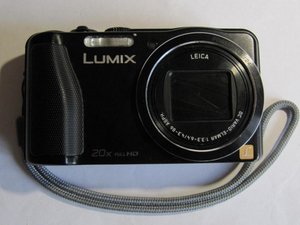
A DMC-TZ35 é uma câmera digital com zoom óptico de 20x em um perfil compacto que cabe no bolso, além de vídeo Full HD em formatos AVCHD e MP4. Foi lançada por volta de 2013.

Screen not working after connection to PC

Hi, I connected my TZ70 to my PC and downloaded pictures to the hard drive and then disconnected the cmaera from the PC without powering down the camera. SInce then, the display screen on the Camera does not work normally - it displays the “turn off cmera to charge” messagee when connecting the camera to the PC but stays reolutely black when in either “take picture” or “show picture” mode. Any ideas?

Respondido! Ver a resposta Também tenho esse problema

Esta é uma boa pergunta?

Pontuação 0
Adicionar um comentário

1 resposta

Solução escolhida

Reading the manual helped. It seems that the “live” disconnection had changed the state of one of the commands in the set up menu. Set up > Eye Sensor > LVF Monitor Switch had moved from Auto to Monitor. Simples!

Esta resposta foi útil?

Pontuação 0
Adicionar um comentário

Adicionar a sua resposta

Rob Johnstone será eternamente grato(a).
Visualizações:

Últimas 24 horas: 0

Últimos 7 dias: 5

Últimos 30 dias: 19

Ao todo: 536