
Ir para o conteúdo principal
Participe da comunidade de reparos - Criar conta

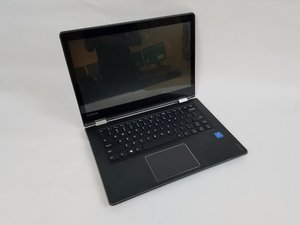
O Lenovo IdeaPad Flex 4-1470, número de modelo 80SA, fabricado em 2016, possui uma tela tátil de 14 polegadas que gira 360 graus para ser usada como um tablet.

How do I fix the screen?

My laptop screen is flickering, This is a problem I’ve had for several months now but has started getting bad. The driver is updated, and I already did a system restore. I think it might be the wire, how would I fix this?

Respondido! Ver a resposta Também tenho esse problema

Esta é uma boa pergunta?

Pontuação 0
Adicionar um comentário

1 resposta

Solução escolhida

Hi @ghostie ,

Here’s a link to the service manual for your laptop.

Scroll to p.56 to view the necessary pre-requisite steps and then the procedure to remove the LCD unit.

This will allow you to inspect the video cable connections at either end to ensure that they are securely connected.

It may also be that the video flex cable is damaged where it passes through the hinge area between the case and the lid so you may have to check for this as well. Try pressing down on the right hinge area and see if you can make the problem occur.

If it is the cable then they are available online. Just search for Lenovo IdeaPad Flex 4-1470 video cable to get results for suppliers of the part.

Worst case is that It may also be a loose connection in the display panel itself. Display panels are irreparable and will need to be replaced. Search online for suppliers.

Esta resposta foi útil?

Pontuação 4
Adicionar um comentário

Adicionar a sua resposta

Erick Baez será eternamente grato(a).
Visualizações:

Últimas 24 horas: 1

Últimos 7 dias: 4

Últimos 30 dias: 17

Ao todo: 2,661
