
Ir para o conteúdo principal
Participe da comunidade de reparos - Criar conta

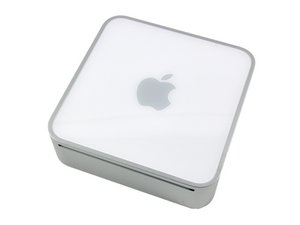
Model A1103 / 1.25, 1.33, 1.42, or 1.5 GHz G4 processor

I cannot eject my Instillation Disk

I was changing Admin Password with the instillation disk inserted, as I was instructed to, but a pop up sheet read “Disk needs to be Cleaned”. Now I can not eject the disk, the “Eject  Leopard Instillation Disk” is showing  in Bold with the Clover Leaf +Q but it is not responding when I press the keys.

My Keyboard is Qwerty so I tried to use the Windows Key on my keyboard  instead of Clover Leaf Command,, unfortunately no response,

Respondido! Ver a resposta Também tenho esse problema

Esta é uma boa pergunta?

Pontuação 0
1 comentário

Your best bet is to borrow your friend’s keyboard made by Apple and use it to eject your disc. Otherwise you will have to disassemble your Mac mini and manually eject it.

por

Adicionar um comentário

2 respostas

Solução escolhida

See if there is a paperclip diameter size hole to the lower right or left of the optical drive slot. If so this is an eject hole, use paper clip in the hole to eject.

That failing, shut it down and restart holding down the mouse.

Esta resposta foi útil?

Pontuação 2
Adicionar um comentário

Does you find power led blinking or not. It shows that your dvd tray stuck. slightly press try in opposite direction and then press eject. Try this few time Or if you find any needle size hole,enter needle inside it to take disk out.

Esta resposta foi útil?

Pontuação 0
Adicionar um comentário

Adicionar a sua resposta

Savlen Dempsley será eternamente grato(a).
Visualizações:

Últimas 24 horas: 1

Últimos 7 dias: 25

Últimos 30 dias: 46

Ao todo: 442
