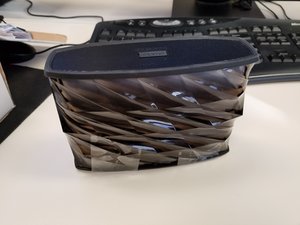
Wiki contribuído por estudante
Uma equipe incrível de estudantes do nosso programa de educação fez esta wiki.
Conectividade Bluetooth
A conexão Bluetooth está com falha no iHome ou no dispositivo de origem. Por exemplo, seu celular está conectado, mas o áudio não está sendo reproduzido.
Bluetooth está ligado
Certifique-se de que a configuração de Bluetooth no seu dispositivo de origem esteja ligada. O símbolo do Bluetooth no seu dispositivo deve estar totalmente sólido e não esmaecido.
Botão de Bluetooth do iHome
Ligue o aparelho mantendo o botão iHome pressionado até que uma luz azul apareça. O botão de Bluetooth está localizado no canto esquerdo da central de controle do dispositivo. Pressione e mantenha este botão pressionado até que a luz azul pisque, indicando que está pronto para sincronizar.
Cabo USB não está funcionando
O cabo mini USB fornecido não funciona.
Conectado
Certifique-se de que o cabo USB esteja conectado firmemente em ambas as extremidades. Pode ser um problema com as próprias portas USB; confira o nosso guia de substituição da placa-mãe aqui.
Dano externo
Examine o fio para garantir que ele esteja completamente intacto. Se parte do fio estiver exposta, use fita isolante para fazer o isolamento.
O cabo pode estar quebrado
Se nenhuma dessas opções resolveu o seu problema, solicite uma reposição ou simplesmente compre um cabo USB novo.
Dispositivo não responde
O dispositivo não está respondendo. Nenhum som está passando pelo alto-falante, o alto-falante não liga.
Dispositivo está ligado
Verifique se a alimentação está ligada. Pressione o botão LIGA/DESLIGA para ligar o dispositivo; você deverá ver uma luz azul começar a piscar perto do botão LIGA/DESLIGA.
Totalmente carregado
Certifique-se de que o dispositivo esteja totalmente carregado. Ao carregá-lo, uma luz vermelha deve aparecer perto do botão LIGA/DESLIGA. Lembre-se, o dispositivo só liga quando estiver totalmente carregado!
Reiniciar o dispositivo
Se o dispositivo não responder, reinicie-o. Ligue o dispositivo e pressione o botão de reset na parte traseira do dispositivo por 2 segundos; você precisará de um pequeno pino para acessar o orifício onde o botão está localizado.
Verificar conexões
Certifique-se de que o dispositivo esteja conectado ao Bluetooth. Quando estiver conectado ao Bluetooth, a luz azul deve estar sólida e não piscando. O seu dispositivo de origem, como seu celular, deve mostrar o símbolo do Bluetooth.
Luminária
Se a luz no dispositivo não acender, conecte o alto-falante a um interruptor de energia e, em seguida, mantenha o botão LIGA/DESLIGA pressionado por 2 segundos para reiniciar o dispositivo.
Desligar e ligar novamente
Se a luz ainda estiver apagada, pressione o botão "Color Mode". Se não houver efeito, entre em contato com o atendimento ao cliente. Ou, se você se sentir confortável para desmontar o seu produto, consulte a nossa página de substituição da luz aqui.

Equipe

University of North Texas, Team S1-G3, Thompson Fall 2017 Membro de University of North Texas, Team S1-G3, Thompson Fall 2017
UNT-THOMPSON-F17S1G3
4 Membros
Autoria de 24 guias

14 comentários
First time poster. My iPhone will not charge went thru trouble shooting guid and even with a new working usb cord the iPhone will not charge. From what I can tell the male USB port is damaged. Is this component serviceable?
Austin - Responder Compartilhar
Whenever the lights are turned on there is a high pitched sound whether the music is playing or not. It starts immediately upon the lights being turned on.
Earlena McKee - Responder Compartilhar
Hi
i just bought an iHome speaker iBT78 and the battery level is full, successfully paired, playing music, but the lights doesn’t work!!! Nothing not a single light! I’ve been trying everything…. pulsing the light button turning it on and of and on again…. somebody help me please sad
Ivonne Castro - Responder Compartilhar
Hi ,
Can you please tell me how long will it take the battery to go full ?
Jeet - Responder Compartilhar
Theres one way I came across to playing music on the speaker and that was to using the double sided cord connecting the speaker and phone together defeating the whole purpose of using wireless bluetooth…
My phones gives me the option to unpair but its not connected and when i connect other speakers its says connected right next to the name of the speaker thats bluetoothed. On the speaker the blue light is still blinking when i read that when its connected its supposed to stay blue without flashing in your guide… ive made sure all connections are on, turned bluetooth speaker / my cell off n back on multiple times, checked if all cords are plugged in right after buying new usb charging cords as well, charged it to a full battery, tried pairing while charging too, tried pairing to other phones and even reset the speaker. STILL GOT NOTHING
Help please???????
Christine Lopez - Responder Compartilhar