Wiki contribuído por estudante
Uma equipe incrível de estudantes do nosso programa de educação fez esta wiki.
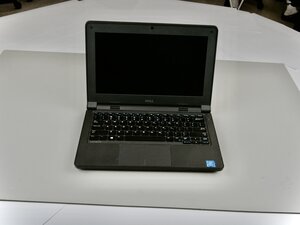
Se o touchpad do seu Dell Latitude 3150 não responde, não move o cursor ou não seleciona itens, siga estes passos para diagnosticar e resolver o problema.
Driver do touchpad desatualizado
Abra as configurações de driver e localize o driver do touchpad na lista. Clique com o botão direito no driver do touchpad e selecione "Atualizar Driver". Se o problema persistir, tente desinstalar o touchpad do dispositivo.
Software do Windows desatualizado
Abra as configurações do Windows e clique na seção de atualizações. Em seguida, verifique se há alguma atualização do Windows disponível. Se houver, clique em "Instalar atualização" e deixe o dispositivo atualizar.

Equipe

Texas Tech, Team 2-3, Johansen Fall 2025 Membro de Texas Tech, Team 2-3, Johansen Fall 2025
TTU-JOHANSEN-F25S2G3
5 Membros
Autoria de 60 guias

0 comentários