Introdução
This guide is for replacing the metal portion of the volume buttons, not the electronic switches.
O que você precisa
-
-
Power off your iPhone before beginning disassembly.
-
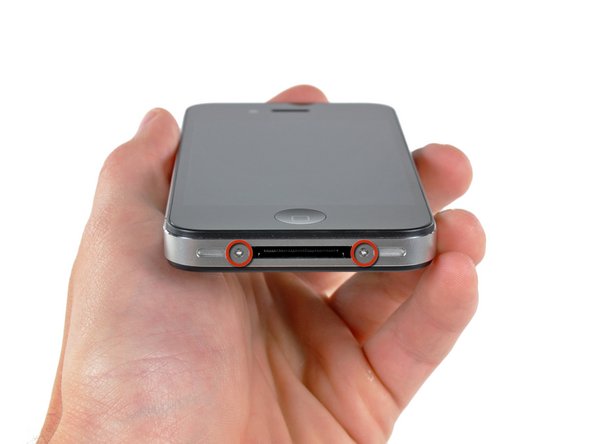
Your iPhone 4 rear cover may have either two #000 Phillips screws or Apple's 5-Point "Pentalobe" screws (second image). Check which screws you have, and ensure you also have the correct screwdriver in order to remove them.
-
Remove the two 3.6 mm Pentalobe or Phillips #000 screws next to the dock connector.
 Pergunte ao FixBot
-
-
-
Pinch the rear panel with your fingers and lift it away from the iPhone. Alternatively, use a Small Suction Cup .
-
-
-
Remove the single 2.5 mm Phillips screw securing the battery connector to the logic board.
-
-
-
-
Use a plastic opening tool to gently pry the battery connector up from its socket on the logic board.
-
Remove the metal clip covering the antenna connector.
-
-
-
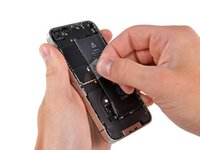
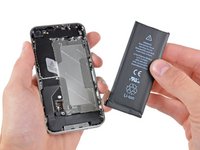
Use the clear plastic pull tab to gently lift the battery out of the iPhone.
-
If there's any alcohol solution remaining in the phone, carefully wipe it off or allow it to air dry before installing your new battery.
-
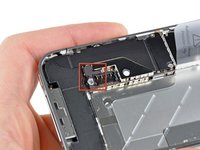
Before reconnecting the battery connector, be sure the contact clip (shown in red) is properly positioned next to the battery connector.
-
-
Ferramenta utilizada neste passo:Tweezers$4.99
-
Use a pair of tweezers to remove the small strip of tape covering the back of the volume buttons.
-
-
-
Remove the three Phillips screws securing the volume button bracket to the outer case.
-
-
-
Use a pair of tweezers to gently pull the volume button bracket slightly away from the outer case.
-




To reassemble your device, follow these instructions in reverse order.
Cancelar: não concluí este guia.
87 outras pessoas executaram este guia.
Documentos anexados

1Comentário do guia
The attached PDF document for the screw is very well thought out. Thank you for your hard work,
