Introdução
Remove the LCD to access most of your iMac's internals.
O que você precisa
-
Ferramenta utilizada neste passo:Heavy-Duty Suction Cups (Pair)$16.95
-
Stick a suction cup near each of the two top corners of the glass panel.
-
If your suction cups refuse to stick, try cleaning both the glass panel and the suction cup with a mild solvent.
 Pergunte ao FixBot
-
-
-
Gently lift the glass panel perpendicular to the face of the LCD enough to clear the steel mounting pins attached along the underside of the top edge of the glass panel.
-
Pull the glass panel away from the lower edge of the iMac and carefully set it aside.
-
-
-
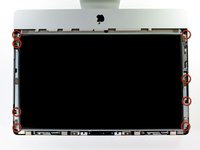
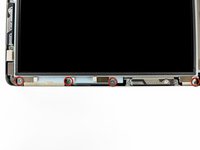
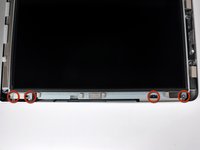
Remove the eight 8 mm T10 Torx screws securing the display to the outer case.
-
-
-
-
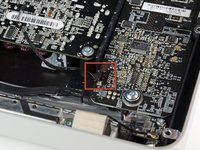
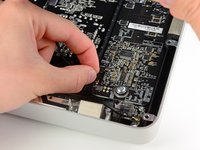
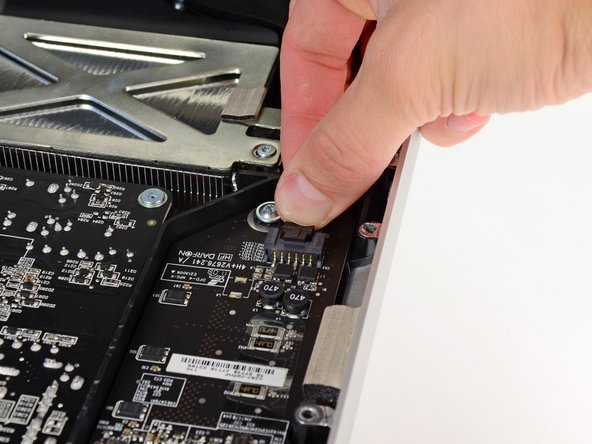
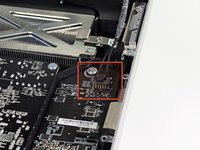
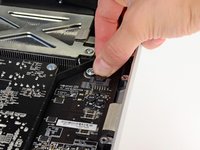
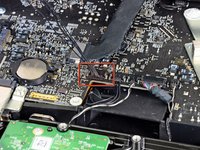
Pull the vertical sync cable connector out of its socket on the LED driver board near the top left corner of your iMac.
-
-
-
Rotate the display out of the outer case enough to disconnect the LED backlight power cable from the LED driver board.
-
-
-
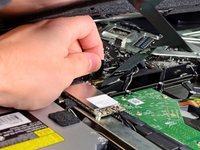
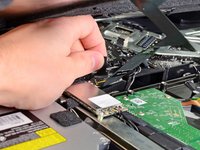
Grab the plastic pull tab secured to the display data cable lock and rotate it towards upwards.
-
Pull the display data cable straight out of its socket on the logic board.
-
-
-
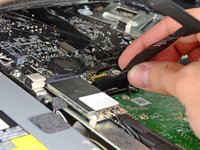
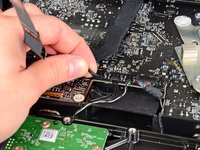
Disconnect the LCD thermal sensor cable connector from its socket on the logic board.
-
-
-
Carefully pull the display toward the top edge of your iMac and lift it out of the outer case, minding any cables that may get caught.
-










To reassemble your device, follow these instructions in reverse order.
Cancelar: não concluí este guia.
35 outras pessoas executaram este guia.

6Comentários do guia
My screen does not come on but the dvd player powers up and the orchestral noise in the beginning sounds what do you think the problem is?
I can't seem to get that flat gold color wire to go back into the socket....please help. I'm at mikichan1@yahoo.com
I had the same problem. Frustrating.
I actually messed up my lcd cable end, so make sure its aligned properly before you try to insert it. If not you will be waiting 3 days like me for the replacement cabe to arrive.
A qué voltage funciona la pantalla del imac 21.5, porque el imac enciende pero la pantalla no, y cuando ilumino el panel lcd se consige ver el logo de la manzana.
Entonces, para comprovar el inversor de corriente de los led, no se cuanta corriente le tiene que llegar a cada led.
